Track gym revenue daily
Every morning, WebRun opens PushPress to collect yesterday's collected revenue, new member signups, and membership cancellations, appends the data to a Google Sheet for trend tracking, and posts a concise daily digest to Slack so owners start each day with a clear financial picture.
- No credit card
- Under $0.01 per run
- Cancel anytime
How do I automatically get a daily gym revenue report in Slack?
WebRun opens PushPress every morning, collects yesterday's revenue, new member signups, and cancellations, appends the figures to a Google Sheet for trend tracking, and posts a concise digest to your Slack owners channel. Owners get a full financial snapshot each day without logging in, with anomalies flagged automatically.
- Owners start every day with a full revenue and membership snapshot in Slack
- Month-to-date revenue and net membership change are tracked automatically
- Revenue anomalies are flagged the morning they occur
Built for CrossFit gym owners · box operators · gym finance managers · functional fitness studio owners
What does WebRun do on every run?
The exact actions WebRun takes, in order - in plain language, so you can adjust anything.
-
WebRun signs in and gets to work
Opens
app.pushpress.comin a real browser with your saved login - no setup, no API keys. -
1
PushPress - pull daily revenue and member data
pushpress.com
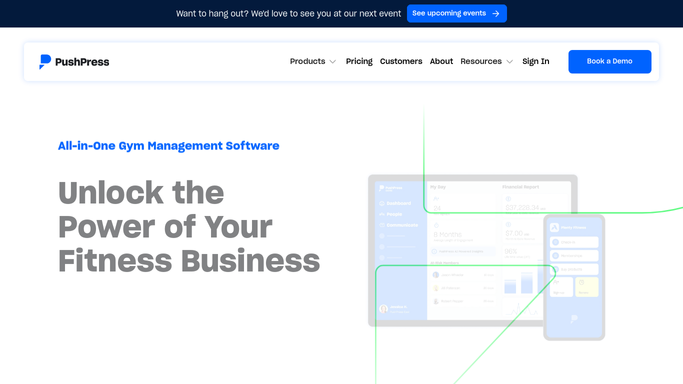
WebRun opens PushPress to pull daily revenue and member data. - Open PushPress and navigate to yesterday's revenue report
- Capture total collected revenue, new membership signups, and cancellations
- Note the breakdown by membership tier and any failed payment count
Done when Yesterday's revenue, new members, and cancellations are captured with tier breakdown.
-
2
Google Sheets - log to revenue tracker
google.com How to Automate Google Sheets

WebRun opens Google Sheets to log to revenue tracker. - Append the daily figures to the revenue tracking Google Sheet
- Update the month-to-date revenue total and net membership change columns
- Flag any day where revenue is more than 20 percent below the seven-day average
Done when Yesterday's data is logged and the month-to-date totals are updated in the sheet.
-
3
Slack - post daily digest
slack.com How to Automate Slack

WebRun opens Slack to post daily digest. - Post a daily revenue digest to the owners channel with total revenue, new members, and cancellations
- Include the month-to-date revenue figure and a net membership change summary
- Flag any anomaly such as a significant revenue drop or an unusually high cancellation count
Done when Owners have yesterday's financial digest in Slack before the first class of the day.
How is each run configured?
Secure by default
Connect once, stays signed in
WebRun signs in once and keeps each session in a persistent environment, so every run picks up right where it left off.
Every action is checked against this policy before it runs.
Questions, answered
Does it post the revenue report automatically without any approval?
Yes. The daily revenue digest is a read-only internal report that posts automatically to your Slack owners channel each morning. No financial action is taken, no external message is sent, and no member data is exposed.
How far back does the Google Sheet history go?
It appends a new row for each day it runs, so the sheet builds a continuous daily history from the moment you activate the workflow. You can add manual rows for earlier dates if you want to backfill.
What counts as a revenue anomaly?
WebRun flags any day where collected revenue is more than 20 percent below the seven-day rolling average and any day with an unusually high cancellation count, so you can investigate before issues compound.
Related templates
Put this on autopilot.
Turn it on in minutes - or have our team set it up for you.