Reduce class no-shows
Every evening, WebRun opens Wodify, pulls the next day's class roster, drafts a text reminder for each booked member via Twilio, and posts your coaching staff a Slack summary of class fill rates and open spots.
- No credit card
- Under $0.01 per run
- Cancel anytime
How do I automatically send class reminder texts to gym members?
WebRun pulls tomorrow's class roster from Wodify each evening, queues a reminder text in Twilio for every booked member, and posts coaching staff a Slack summary of fill rates and open spots. Staff approve the text batch before any messages go out, cutting no-shows without removing human oversight.
- Fewer no-shows as every booked member gets a timely reminder the evening before
- Coaches see fill rates and open spots in Slack each night
- No text goes out without staff approval
Built for CrossFit gym owners · box coaches · gym operations staff · functional fitness studios
What does WebRun do on every run?
The exact actions WebRun takes, in order - in plain language, so you can adjust anything.
-
WebRun signs in and gets to work
Opens
app.wodify.comin a real browser with your saved login - no setup, no API keys. -
1
Wodify - pull tomorrow's class roster
wodify.com
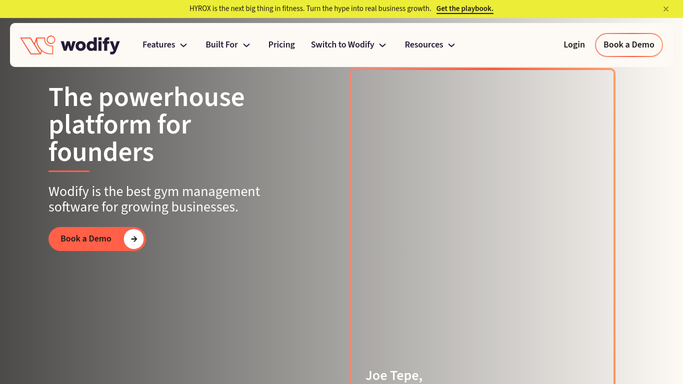
WebRun opens Wodify to pull tomorrow's class roster. - Open Wodify and navigate to tomorrow's class schedule
- Capture each booked member's name, phone number, and class time
- Note total capacity and current fill rate for each session
Done when Full roster with contact details is captured for every tomorrow's class.
-
2
Twilio - draft reminder texts
twilio.com How to Automate Twilio

WebRun opens Twilio to draft reminder texts. - Draft a short reminder text for each booked member including their class time
- Queue the drafts for staff review before any messages are sent
- Send texts only after a staff member approves the batch in the Twilio queue
Done when Reminder texts are queued in Twilio awaiting staff approval.
-
3
Slack - post fill-rate summary
slack.com How to Automate Slack

WebRun opens Slack to post fill-rate summary. - Post a summary to the coaching channel showing each class, fill rate, and open spots
- List how many reminder texts are queued and awaiting approval
- Flag any class below 50 percent capacity so coaches can promote open spots
Done when Coaching staff have tonight's fill-rate summary and reminder queue status in Slack.
How is each run configured?
Secure by default
Connect once, stays signed in
WebRun signs in once and keeps each session in a persistent environment, so every run picks up right where it left off.
Every action is checked against this policy before it runs.
Questions, answered
Will it text members without staff approving first?
No. WebRun queues every reminder text in Twilio and waits for a staff member to approve the batch before anything is sent, so no member receives an unapproved message.
Which classes does it cover?
It reads the full next-day schedule from Wodify, covering every class session with at least one booked member, and flags any session below 50 percent capacity so coaches can fill open spots.
What happens if a member cancels after the reminder is queued?
Wodify's roster is read fresh each evening, so cancellations that happen before the nightly run are automatically excluded. For late cancellations, the queued message can be removed during staff review.
Related templates
Put this on autopilot.
Turn it on in minutes - or have our team set it up for you.