Celebrate member PRs
Every morning, WebRun opens Wodify, finds personal records logged the previous day, drafts a celebratory shout-out for each member, and queues the posts in Slack and Telegram for a coach to approve before sharing with the community.
- No credit card
- Under $0.01 per run
- Cancel anytime
How do I automatically celebrate member personal records at my CrossFit gym?
WebRun pulls yesterday's personal records from Wodify each morning, drafts a celebratory shout-out for each member, and queues the posts in Slack for coach review. Once approved, shout-outs are posted to the member Telegram group, celebrating every PR with a genuine, coach-vetted message that builds box culture.
- Every member PR gets a personalized shout-out the next morning
- Coaches review and approve each post before it reaches the community
- Regular celebrations build community culture and member retention
Built for CrossFit gym owners · head coaches · box community managers · functional fitness studio owners
What does WebRun do on every run?
The exact actions WebRun takes, in order - in plain language, so you can adjust anything.
-
WebRun signs in and gets to work
Opens
app.wodify.comin a real browser with your saved login - no setup, no API keys. -
1
Wodify - surface new personal records
wodify.com
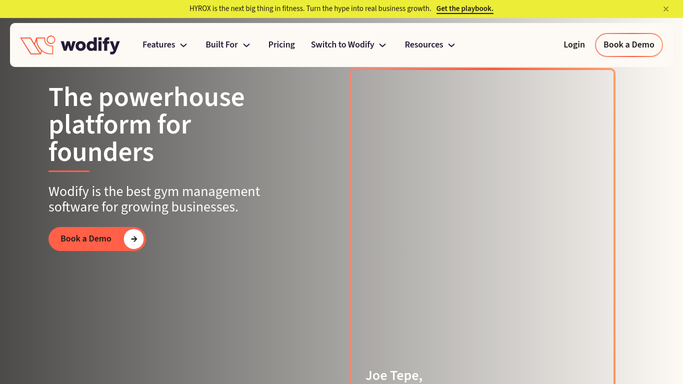
WebRun opens Wodify to surface new personal records. - Open Wodify and pull all personal records logged during yesterday's sessions
- Capture each member's first name, the lift or movement, and the new PR value
- Group records by member so a member with multiple PRs gets one combined shout-out
Done when All of yesterday's PRs are collected with member name and achievement details.
-
2
Slack - queue shout-out for coach approval
slack.com How to Automate Slack

WebRun opens Slack to queue shout-out for coach approval. - Post the draft shout-outs to the coaches channel for review
- List each draft with the member name, movement, and PR value
- Wait for a coach to approve or edit each post before it is shared publicly
Done when Coaches have all draft PR shout-outs queued in Slack for approval.
-
3
Telegram - post approved shout-outs
telegram.org How to Automate Telegram

WebRun opens Telegram to post approved shout-outs. - Post only the coach-approved shout-outs to the member Telegram group
- Format each post to celebrate the achievement and tag the member where possible
- Do not post any shout-out that has not been reviewed and approved by a coach
Done when All approved PR shout-outs are live in the member Telegram group.
How is each run configured?
Secure by default
Connect once, stays signed in
WebRun signs in once and keeps each session in a persistent environment, so every run picks up right where it left off.
Every action is checked against this policy before it runs.
Questions, answered
Will it post shout-outs to Telegram without a coach reviewing them first?
No. WebRun queues every PR shout-out in Slack for coach review before anything is posted to the member Telegram group. A coach approves or edits each draft, so only accurate and on-brand celebrations go live.
What if a member does not want their PR shared publicly?
Coaches review every draft in Slack before it posts, so they can remove any shout-out for a member who has opted out of public recognition. You can also add a standing exclusion list to skip certain members automatically.
How does it know what counts as a personal record?
It reads the PR records that members or coaches log directly in Wodify during or after class sessions, using the same data that appears in Wodify's performance tracking.
Related templates
Put this on autopilot.
Turn it on in minutes - or have our team set it up for you.