Move on-ramp clients to classes
Every Monday, WebRun opens PushPress to check each on-ramp client's session count and attendance, identifies those ready to graduate to group classes, drafts a personalized next-step email in Gmail for each, and posts a progress summary to Slack so coaches know who is ready to move up.
- No credit card
- Under $0.01 per run
- Cancel anytime
How do I automatically track on-ramp progress and move clients to group classes?
WebRun checks PushPress every Monday for on-ramp clients who have completed enough sessions to graduate to group classes. It drafts a personalized next-step email in Gmail for each ready client and posts coaches a Slack progress summary. Coaches review and send each draft, converting on-ramp clients to memberships at exactly the right moment.
- No on-ramp client slips through without a timely graduation prompt
- Coaches see a weekly progress summary and can spot behind-schedule clients early
- Every graduation email is coach-reviewed before it reaches the client
Built for CrossFit gym owners · on-ramp coaches · gym membership directors · functional fitness studios
What does WebRun do on every run?
The exact actions WebRun takes, in order - in plain language, so you can adjust anything.
-
WebRun signs in and gets to work
Opens
app.pushpress.comin a real browser with your saved login - no setup, no API keys. -
1
PushPress - track on-ramp progress
pushpress.com
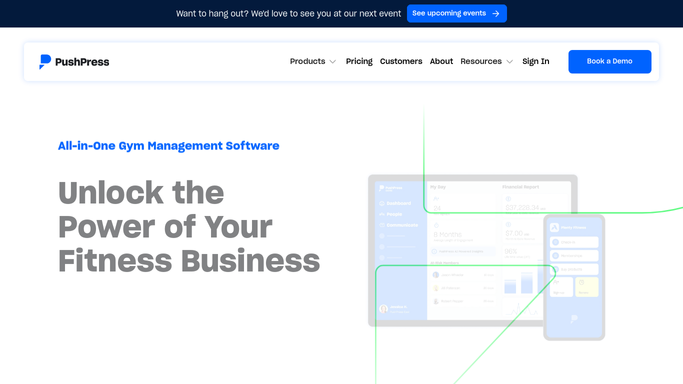
WebRun opens PushPress to track on-ramp progress. - Open PushPress and filter members currently enrolled in on-ramp or fundamentals programs
- Capture each client's session count, attendance rate, and weeks enrolled
- Identify clients who have completed the required number of sessions to graduate
Done when All on-ramp clients are listed with progress details and graduation status flagged.
-
2
Gmail - draft graduation emails
gmail.com How to Automate Gmail

WebRun opens Gmail to draft graduation emails. - Draft a congratulatory next-step email for each client ready to graduate
- Reference their progress and outline the group membership options available
- Save each email as a draft unsent so a coach can review and add a personal note before sending
Done when A reviewed graduation draft exists in Gmail for every client ready to move to group classes.
-
3
Slack - post progress summary
slack.com How to Automate Slack

WebRun opens Slack to post progress summary. - Post a weekly on-ramp progress summary to the coaching channel
- List each client, their session count, and graduation readiness status
- Flag clients who are behind on attendance so coaches can schedule a check-in
Done when Coaches have this week's on-ramp progress summary and graduation queue in Slack.
How is each run configured?
Secure by default
Connect once, stays signed in
WebRun signs in once and keeps each session in a persistent environment, so every run picks up right where it left off.
Every action is checked against this policy before it runs.
Questions, answered
Will it email on-ramp clients without a coach reviewing the message first?
No. WebRun saves every graduation email as a Gmail draft and leaves it unsent. A coach reviews and personalizes each message before it goes out, so every client receives a genuine, coach-approved next step.
How does it know when a client is ready to graduate?
It reads each client's completed session count in PushPress and compares it to the graduation threshold you configure. Clients who meet or exceed the threshold are flagged as ready and appear at the top of the Slack summary.
What about clients who are behind on attendance?
Clients who are falling behind are flagged separately in the Slack summary so coaches can reach out with encouragement and schedule a make-up session before the client disengages from the program.
Related templates
Put this on autopilot.
Turn it on in minutes - or have our team set it up for you.