Never let a scheduled publish surprise you
Every morning, WebRun opens Contentful, checks every space for entries scheduled to publish in the next 24 hours, books a calendar reminder for the content owner to do a final check before it goes live, and posts the full list to Microsoft Teams so nobody is surprised by a scheduled publish they forgot about.
- No credit card
- Under $0.01 per run
- Cancel anytime
How do I avoid being surprised by a scheduled Contentful publish?
WebRun checks Contentful every morning for entries scheduled to publish in the next 24 hours. It books a calendar reminder for the owner to do a final check, and posts the full list to Microsoft Teams, so a scheduled publish is always expected and reviewed, never a surprise. It never publishes or edits content itself.
- Every scheduled publish gets a final check before it goes live
- Entries with no owner get caught before their publish time
- Nobody is surprised by content going live unreviewed
Built for content teams · marketing teams · CMS administrators · product content teams
What does WebRun do on every run?
The exact actions WebRun takes, in order - in plain language, so you can adjust anything.
-
WebRun signs in and gets to work
Opens
be.contentful.com/loginin a real browser with your saved login - no setup, no API keys. -
1
Contentful - check for entries scheduled to publish soon
contentful.com
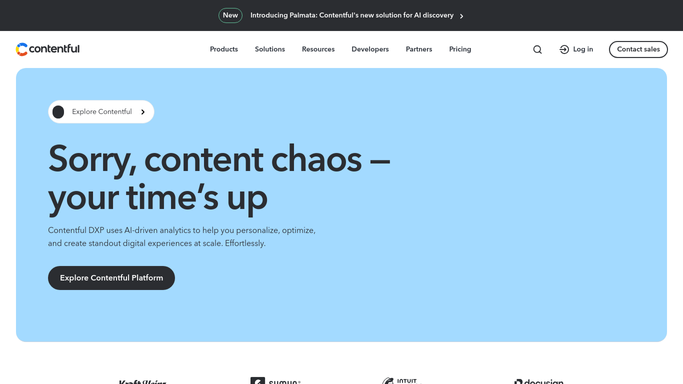
WebRun opens Contentful to check for entries scheduled to publish soon. - Open Contentful and list entries scheduled to publish in the next 24 hours
- Capture the entry title, content type, and scheduled time
- Note the assigned owner for each entry
Done when Every entry scheduled to publish in the next 24 hours is listed with its owner and time.
-
2
Google Calendar - book a final check reminder
calendar.google.com How to Automate Google Calendar

WebRun opens Google Calendar to book a final check reminder. - Create a reminder for the owner to do a final check before each scheduled publish
- Set the reminder ahead of the scheduled publish time
- Skip creating a reminder for an entry already reviewed since it was scheduled
Done when Every upcoming scheduled publish has a final check reminder booked.
-
3
Microsoft Teams - post the list to the team
microsoft.com How to Automate Microsoft Teams

WebRun opens Microsoft Teams to post the list to the team. - Post the day's list of scheduled publishes to the content channel
- Show the entry title, owner, and scheduled time for each
- Flag any entry with no assigned owner
Done when The content channel has today's list of upcoming scheduled publishes.
How is each run configured?
Secure by default
Connect once, stays signed in
WebRun signs in once and keeps each session in a persistent environment, so every run picks up right where it left off.
Every action is checked against this policy before it runs.
Questions, answered
Will it publish, edit, or delay any entry?
No. WebRun only reads what's already scheduled. Publishing, editing, or rescheduling an entry is always done by the content owner in Contentful.
What if an entry has no owner assigned?
It gets flagged in the Teams post specifically so someone can claim it before the scheduled publish time arrives.
How far ahead does it check?
24 hours, so there's enough time for a final check before anything goes live.
Related templates
Put this on autopilot.
Turn it on in minutes - or have our team set it up for you.