Chase unsubmitted SAP Concur expense reports
Every Monday, WebRun opens SAP Concur, finds expense reports still sitting in draft past your submission deadline, logs who's overdue in Google Sheets, and assigns a reminder task per employee in Notion so month end close doesn't stall.
- No credit card
- Under $0.01 per run
- Cancel anytime
How do I chase unsubmitted SAP Concur expense reports?
WebRun checks SAP Concur every Monday for expense reports still in draft past the submission deadline, logs who's overdue in Google Sheets, and assigns a reminder task per employee in Notion. It never submits a report or reimburses anyone itself, so overdue reports get chased weekly instead of piling up before close.
- Overdue reports get a Notion task every Monday instead of at close
- Every employee's status is visible on one tracked list
- Month end close starts with fewer outstanding reports
Built for finance teams · accounts payable · HR operations · corporate finance
What does WebRun do on every run?
The exact actions WebRun takes, in order - in plain language, so you can adjust anything.
-
WebRun signs in and gets to work
Opens
www.concursolutions.comin a real browser with your saved login - no setup, no API keys. -
1
SAP Concur - find unsubmitted reports
concursolutions.com
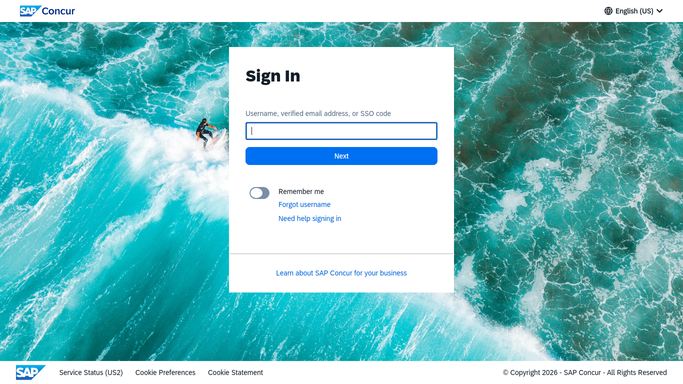
WebRun opens SAP Concur to find unsubmitted reports. - Open SAP Concur and list expense reports still in draft
- Filter to reports past your submission deadline
- Note the employee and how many days overdue
Done when Every unsubmitted report past deadline is captured.
-
2
Google Sheets - log who's overdue
google.com How to Automate Google Sheets

WebRun opens Google Sheets to log who's overdue. - Log each overdue employee with days past deadline
- Update the running list from the prior week
- Remove anyone who has since submitted
Done when The tracking sheet lists every currently overdue employee.
-
3
Notion - assign the reminder task
notion.so How to Automate Notion

WebRun opens Notion to assign the reminder task. - Create a reminder task for each overdue employee
- Include how many days their report has been outstanding
- Leave the actual nudge to their manager
Done when Every overdue employee has a reminder task in Notion.
How is each run configured?
Secure by default
Connect once, stays signed in
WebRun signs in once and keeps each session in a persistent environment, so every run picks up right where it left off.
Every action is checked against this policy before it runs.
Questions, answered
Will it submit the report or reimburse the employee itself?
No. WebRun never sends a payment, issues a refund, or transfers funds on its own. It only tracks who hasn't submitted and flags it, leaving submission and reimbursement to the employee and finance.
How does it know a report is overdue?
It reads the live status in SAP Concur and compares the report's age against your submission deadline, so only genuinely late reports get flagged.
What happens once someone submits?
The next run reads the live status from SAP Concur and drops them from the overdue list automatically, so no one gets chased after they've already submitted.
Related templates
Put this on autopilot.
Turn it on in minutes - or have our team set it up for you.