Tell preorder customers their variant cover arrived
Every Wednesday, WebRun opens Nerdslice, finds variant-cover and preorder titles received this week, matches each copy to the customer who reserved it, drafts a personal arrival email in Mailchimp and a short pickup text in Twilio, and leaves both unsent for your review.
- No credit card
- Under $0.01 per run
- Cancel anytime
How do I automatically notify preorder customers when their variant cover arrives?
Every Wednesday, WebRun opens Nerdslice, finds variant-cover preorders received this week, and matches each copy to the customer who reserved it. It drafts a personal arrival email in Mailchimp and a short pickup text in Twilio, then leaves both unsent for your approval, so customers hear their variant arrived without anything sending on its own.
- Preorder customers hear their variant arrived the day it lands
- Both email and text drafts are prepared in one pass
- No arrival message sends without a human approving the batch
Built for comic shop owners · preorder managers · variant cover sellers · local comic stores
What does WebRun do on every run?
The exact actions WebRun takes, in order - in plain language, so you can adjust anything.
-
WebRun signs in and gets to work
Opens
nerdslice.comin a real browser with your saved login - no setup, no API keys. -
1
Nerdslice - match arrivals to preorders
nerdslice.com How to Automate Nerdslice
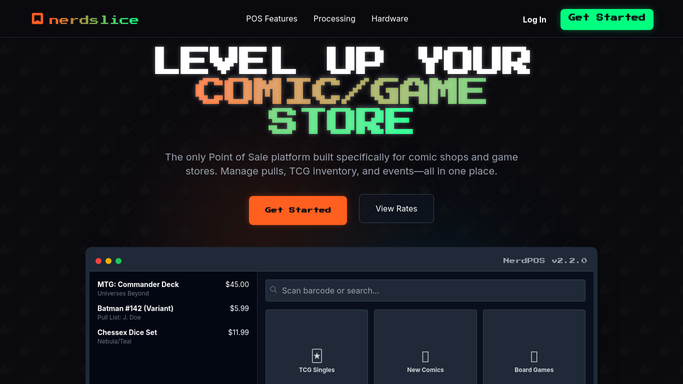
WebRun opens Nerdslice to match arrivals to preorders. - Open Nerdslice and list variant-cover and preorder titles received in this week's shipment
- Match each received copy to the customer preorder or reservation it fulfills
- Capture the customer name, the exact variant, the price, and their preferred contact method
- Skip copies with no attached preorder and reservations already marked collected
Done when Every arrived variant copy is matched to a customer preorder with contact details.
-
2
Mailchimp - draft arrival emails
mailchimp.com How to Automate Mailchimp

WebRun opens Mailchimp to draft arrival emails. - In Mailchimp, draft a personal arrival email for each email-preferred customer
- Name the exact variant cover, the price, and the hold-by date in an on-brand tone
- Leave every email as an unsent draft so you can review the batch before release
- Never email a customer automatically. You approve and send the drafts yourself
Done when An arrival email is drafted and waiting for approval for every email-preferred customer.
-
3
Twilio - draft pickup texts
twilio.com How to Automate Twilio

WebRun opens Twilio to draft pickup texts. - In Twilio, draft a short pickup text for each customer who prefers SMS
- Keep it brief: the variant name, that it is being held, and the hold-by date
- Queue every text as an unsent draft for your approval, never delivering automatically
- You review and release the queued texts once the batch looks right
Done when A pickup text is drafted and queued for approval for every SMS-preferred customer.
How is each run configured?
Secure by default
Connect once, stays signed in
WebRun signs in once and keeps each session in a persistent environment, so every run picks up right where it left off.
Every action is checked against this policy before it runs.
Questions, answered
Will it text or email customers without my approval?
No. WebRun drafts the emails in Mailchimp and queues the texts in Twilio, all unsent. You review and release each batch yourself, so no arrival message reaches a customer automatically.
How does it match a variant to the right customer?
It reads the preorder and reservation records in Nerdslice and matches each received copy to the customer who reserved that exact variant, so the right person hears about the right cover.
What if a customer already picked up their copy?
Reservations marked collected in Nerdslice are skipped, so an approved arrival message only ever goes to customers whose variant is genuinely still being held at the counter.
Related templates
Put this on autopilot.
Turn it on in minutes - or have our team set it up for you.