Tell subscribers their weekly pull box is ready
Every Wednesday, WebRun opens Nerdslice, reads each subscriber's completed pull-box manifest, drafts a personal ready-for-pickup email in Mailchimp listing their titles and hold-by date, leaves it unsent for your review, and posts a pickup roster to your store Discord.
- No credit card
- Under $0.01 per run
- Cancel anytime
How do I automatically notify subscribers when their comic pull box is ready?
Every Wednesday, WebRun opens Nerdslice, reads each subscriber's completed pull-box manifest, and drafts a personal ready-for-pickup email in Mailchimp listing their titles, total, and hold-by date. It leaves every email unsent for your approval and posts a pickup roster to your staff Discord, so customers hear their box is ready fast.
- Subscribers learn their box is ready within an hour of the manifest being built
- Staff open Discord to a ready roster with hold-by dates flagged
- No pickup email leaves without a human approving the batch first
Built for comic shop owners · pull-list managers · local comic stores · subscription box counters
What does WebRun do on every run?
The exact actions WebRun takes, in order - in plain language, so you can adjust anything.
-
WebRun signs in and gets to work
Opens
nerdslice.comin a real browser with your saved login - no setup, no API keys. -
1
Nerdslice - read this week's pull-box manifests
nerdslice.com How to Automate Nerdslice
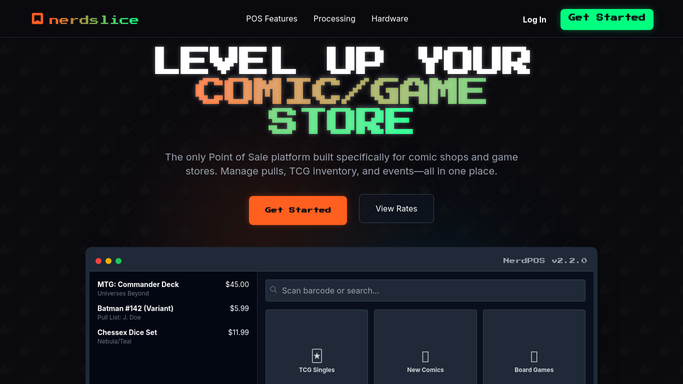
WebRun opens Nerdslice to read this week's pull-box manifests. - Open Nerdslice and go to the pull-box or subscription manifest for this week's shipment
- For each active subscriber, capture their name, the titles pulled, the issue count, and the total owed
- Note each subscriber's preferred contact email and their hold-by cutoff date
- Skip subscribers whose box is empty or already marked picked up
Done when Every active subscriber has a complete list of pulled titles, a total, and a hold-by date.
-
2
Mailchimp - draft ready-for-pickup emails
mailchimp.com How to Automate Mailchimp

WebRun opens Mailchimp to draft ready-for-pickup emails. - In Mailchimp, draft a personal ready-for-pickup email for each subscriber
- List their titles, issue count, total owed, and the hold-by date in a friendly on-brand tone
- Leave every email as an unsent draft so you can review and approve the batch
- Never send to a customer automatically. You release the batch once it looks right
Done when A personalized pickup email is drafted and waiting for your approval for every subscriber.
-
3
Discord - post the pickup roster for staff
discord.com

WebRun opens Discord to post the pickup roster for staff. - Post a pickup roster to your staff Discord channel with each subscriber name and title count
- Flag boxes with a hold-by date inside three days so the counter can prioritize them
- Summarize the total number of boxes ready and the total dollar value on hold
Done when Your staff channel has a clear roster of which boxes are ready and which are close to their hold-by date.
How is each run configured?
Secure by default
Connect once, stays signed in
WebRun signs in once and keeps each session in a persistent environment, so every run picks up right where it left off.
Every action is checked against this policy before it runs.
Questions, answered
Will it email my subscribers without my approval?
No. WebRun drafts every ready-for-pickup email in Mailchimp and leaves the whole batch unsent. You review the drafts and release them yourself, so nothing reaches a customer on its own.
How does it know which titles go in each box?
It reads the live pull-box manifest in Nerdslice each Wednesday, so the titles, issue count, and total match exactly what your staff pulled for that subscriber that week.
What about subscribers who already collected their box?
Boxes marked picked up in Nerdslice are skipped, so an approved email only ever goes to subscribers whose box is genuinely still waiting at the counter.
Related templates
Put this on autopilot.
Turn it on in minutes - or have our team set it up for you.