Verify every outbound contact falls inside FDCPA call windows
Every morning, WebRun opens TrueAccord, reads each account's debtor time zone, checks whether planned outreach falls within FDCPA-permitted hours (8 AM to 9 PM local time), flags any out-of-window contacts, logs the check results to Google Sheets, and posts a compliance summary to Slack so your team can adjust before any message goes out.
- No credit card
- Under $0.01 per run
- Cancel anytime
How do I automatically check debt collection call windows for FDCPA compliance?
WebRun checks TrueAccord every morning before outreach begins, reads each debtor's time zone, and verifies that planned contacts fall within the FDCPA window of 8 AM to 9 PM local time. Out-of-window accounts are flagged in a Google Sheets log and posted to Slack so your team can reschedule before any violation occurs.
- Out-of-window contact attempts caught before outreach runs
- Daily compliance log in Google Sheets for audit trail
- Zero FDCPA call-window violations from missed time-zone checks
Built for debt collection agencies · compliance officers · collections supervisors · consumer finance teams
What does WebRun do on every run?
The exact actions WebRun takes, in order - in plain language, so you can adjust anything.
-
WebRun signs in and gets to work
Opens
app.trueaccord.comin a real browser with your saved login - no setup, no API keys. -
1
TrueAccord - read account time zones and planned outreach
trueaccord.com
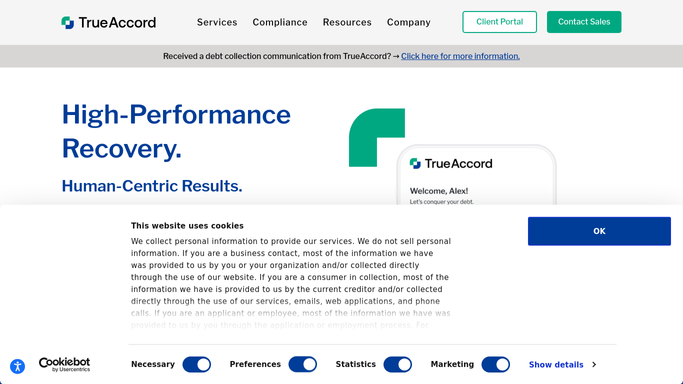
WebRun opens TrueAccord to read account time zones and planned outreach. - Open TrueAccord and pull accounts scheduled for outreach today
- Read the debtor time zone recorded on each account
- Check whether the planned contact time falls between 8 AM and 9 PM in the debtor's local time
- Flag any account where the outreach would fall outside permitted hours
Done when All today's scheduled outreach accounts have been checked against FDCPA call windows.
-
2
Google Sheets - log compliance check results
google.com How to Automate Google Sheets

WebRun opens Google Sheets to log compliance check results. - Open the compliance call-window log sheet
- Append a row for each account checked, noting pass or fail and the debtor's local time
- Highlight fail rows in red for easy supervisor review
Done when The compliance log sheet shows pass or fail for every account on today's outreach list.
-
3
Slack - alert team to any out-of-window flags
slack.com How to Automate Slack

WebRun opens Slack to alert team to any out-of-window flags. - Post a summary to the compliance channel: total accounts checked, count of out-of-window flags, and account IDs of flagged records
- Link to the Google Sheets log for full detail
- If zero flags exist, post a brief clean-bill confirmation
Done when The compliance team has a Slack alert with any out-of-window flags before outreach begins.
How is each run configured?
Secure by default
Connect once, stays signed in
WebRun signs in once and keeps each session in a persistent environment, so every run picks up right where it left off.
Every action is checked against this policy before it runs.
Questions, answered
Does it block outreach to flagged accounts automatically?
No. WebRun flags accounts that would be contacted outside permitted hours and alerts your team in Slack, but pausing or rescheduling outreach within TrueAccord is a human action, keeping compliance decisions in your control.
Which time zones does it check?
It reads the debtor time zone recorded on each TrueAccord account and applies the FDCPA standard window of 8 AM to 9 PM local time. Accounts without a recorded time zone are flagged for manual review.
What if my state has stricter call-hour rules than the federal FDCPA standard?
You can update the permitted-hour range in the workflow settings before the first run. The compliance log and Slack flags will then apply your custom window instead of the federal default.
Related templates
Put this on autopilot.
Turn it on in minutes - or have our team set it up for you.