Report on collector agent performance from TrueAccord each week
Every Monday, WebRun opens TrueAccord, pulls the prior week's performance data by collector agent including accounts worked, accounts resolved, and recovery rate per agent, appends the figures to a Google Sheets performance tracker, and posts a ranked agent performance digest to your management channel in Slack.
- No credit card
- Under $0.01 per run
- Cancel anytime
How do I automatically report on debt collector agent performance from TrueAccord?
WebRun opens TrueAccord every Monday, pulls the prior week's performance data for each collector agent including accounts worked, resolved, and recovery rate, appends the figures to a Google Sheets tracker with week-over-week changes, and posts a ranked digest to your Slack management channel so performance reviews start with real numbers.
- Management gets a Monday morning agent performance digest without manual extraction
- Week-over-week recovery rate changes tracked per agent in Google Sheets
- Underperforming agents flagged before the weekly management review
Built for debt collection agency managers · collections supervisors · portfolio managers · operations directors
What does WebRun do on every run?
The exact actions WebRun takes, in order - in plain language, so you can adjust anything.
-
WebRun signs in and gets to work
Opens
app.trueaccord.comin a real browser with your saved login - no setup, no API keys. -
1
TrueAccord - pull prior week agent performance metrics
trueaccord.com
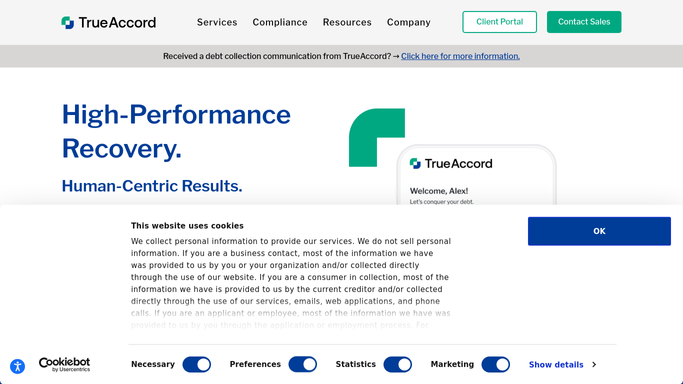
WebRun opens TrueAccord to pull prior week agent performance metrics. - Open TrueAccord and navigate to the agent or collector performance reporting view
- Pull prior week figures for each agent: accounts worked, accounts resolved, total collected, and recovery rate
- Capture the data broken down by agent name or ID as shown in TrueAccord's reporting section
Done when Prior week performance figures for each collector agent are captured from TrueAccord.
-
2
Google Sheets - append to agent performance tracker
google.com How to Automate Google Sheets

WebRun opens Google Sheets to append to agent performance tracker. - Open the agent performance tracker sheet
- Append a new block of rows for this week's date, one row per agent, with all captured metrics
- Calculate week-over-week change in recovery rate per agent
- Highlight agents where recovery rate improved or dropped by more than 5 percentage points
Done when The tracker sheet is updated with this week's agent figures and week-over-week changes.
-
3
Slack - post ranked agent performance digest to management
slack.com How to Automate Slack

WebRun opens Slack to post ranked agent performance digest to management. - Post a Monday morning digest to the management channel ranking agents by recovery rate for the prior week
- Call out the top performer and any agent with a notable week-over-week drop
- Include a link to the Google Sheets tracker for full historical detail
Done when Management has a ranked agent performance digest in Slack ready for the Monday review.
How is each run configured?
Secure by default
Connect once, stays signed in
WebRun signs in once and keeps each session in a persistent environment, so every run picks up right where it left off.
Every action is checked against this policy before it runs.
Questions, answered
Does the performance report include any debtor personal data?
No. The report contains only aggregate performance metrics per collector agent: accounts worked, accounts resolved, and recovery rate. No debtor names, balances, or personal details appear in the Slack digest or Google Sheets tracker.
What if TrueAccord does not show agent-level performance breakdowns?
WebRun reports on the breakdowns available in TrueAccord's reporting view. If agent-level data is not exposed there, it falls back to portfolio-level metrics and notes the limitation in the Slack digest so management knows the scope.
Can it trigger a coaching notification when an agent's recovery rate drops sharply?
The workflow flags agents with a recovery rate drop of more than 5 percentage points in the Slack digest. Your manager sees the flag each Monday and decides whether to schedule a coaching session. No automated message is sent to the agent without management direction.
Related templates
Put this on autopilot.
Turn it on in minutes - or have our team set it up for you.