Get a digest of every cold-chain shipment that arrived at a geofence today
Every evening, WebRun opens Tive, reads all geofence arrival events recorded during the day for your active shipments, notes the temperature and condition status at the time of each arrival, and posts a digest to your Slack ops channel so your team has a complete daily arrival log with condition data.
- No credit card
- Under $0.01 per run
- Cancel anytime
How do I get a daily digest of cold-chain shipment geofence arrivals from Tive?
Every evening, WebRun reads all Tive geofence arrival events from the day, captures arrival time, temperature, and condition status at the moment of entry for each shipment, and posts a digest to Slack. Your ops team ends each day with a complete arrival log showing which loads arrived in-spec and which had active excursions.
- Complete daily arrival log posted to Slack every evening automatically
- In-spec and excursion arrivals clearly distinguished in one digest
- No arrival event missed, including off-hours arrivals
Built for cold chain operations teams · distribution centre managers · pharmaceutical logistics supervisors · food distribution operators
What does WebRun do on every run?
The exact actions WebRun takes, in order - in plain language, so you can adjust anything.
-
WebRun signs in and gets to work
Opens
platform.tive.comin a real browser with your saved login - no setup, no API keys. -
1
Tive - read today's geofence arrival events
tive.com How to Automate Tive
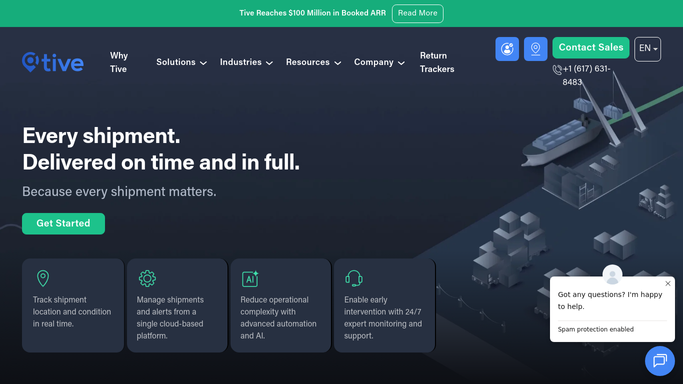
WebRun opens Tive to read today's geofence arrival events. - Open platform.tive.com and navigate to the events or alerts log filtered to today's geofence arrival events
- For each arrival event, capture the shipment name, tracker ID, geofence location name, arrival timestamp, temperature at arrival, humidity at arrival, and whether any excursion was active at time of arrival
- Sort by arrival time, most recent first
Done when All geofence arrival events from today are captured with timestamps and condition data.
-
2
Slack - post arrival digest with condition status
slack.com How to Automate Slack

WebRun opens Slack to post arrival digest with condition status. - Post the evening arrival digest to the designated Slack ops channel
- List each arrival with shipment name, location, arrival time, temperature at arrival, and a green or red condition indicator
- Include a summary count of total arrivals, arrivals in-spec, and arrivals with active excursions
Done when Slack digest is posted with a full list of today's geofence arrivals and their condition status.
How is each run configured?
Secure by default
Connect once, stays signed in
WebRun signs in once and keeps each session in a persistent environment, so every run picks up right where it left off.
Every action is checked against this policy before it runs.
Questions, answered
Which geofences does it cover?
WebRun reads arrival events for all geofences configured in your Tive account. If you have separate geofences for distribution centres, ports, and customer sites, arrivals at all of them appear in the digest.
What if no shipments arrived at a geofence today?
WebRun still posts the digest with a note confirming zero arrivals for the day, so the daily Slack record remains unbroken and your team knows the report ran successfully.
Can it send arrival notifications to customers in real time?
Real-time customer arrival notifications are drafted for human review rather than sent automatically. The internal Slack digest posts each evening without approval.
Related templates
Put this on autopilot.
Turn it on in minutes - or have our team set it up for you.