Catch new paid Cognito Forms entries as they land
Every few minutes, WebRun checks Cognito Forms for new submissions, separates the ones that included a payment, posts an internal Telegram alert naming the submitter and amount, and drafts a short Twilio text confirmation for that submitter, left ready for a human to review and send.
- No credit card
- Under $0.01 per run
- Cancel anytime
How do I get notified when a Cognito Forms submission includes a payment?
WebRun checks Cognito Forms every few minutes for new submissions, isolates the ones that included a completed payment, and posts an internal Telegram alert with the submitter and amount. It also drafts a short Twilio text confirmation for that submitter, queued for a human to send, so paid entries get noticed and acknowledged within minutes without anyone watching a dashboard.
- Paid entries get flagged within minutes, not at end of day
- Confirmation texts are ready to send instead of written from scratch
- The team never misses a completed payment buried in form entries
Built for Event organizers · small businesses taking payments · nonprofits · membership organizations
What does WebRun do on every run?
The exact actions WebRun takes, in order - in plain language, so you can adjust anything.
-
WebRun signs in and gets to work
Opens
cognitoforms.comin a real browser with your saved login - no setup, no API keys. -
1
Cognito Forms - find new paid submissions
cognitoforms.com
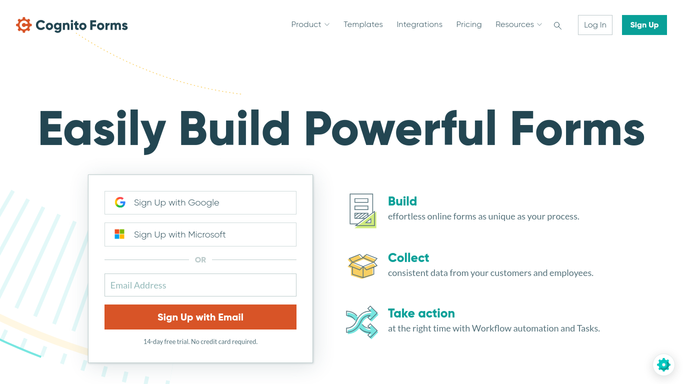
WebRun opens Cognito Forms to find new paid submissions. - Open Cognito Forms and check entries since the last run
- Separate submissions that included a completed payment
- Capture the submitter's name, amount, and form
Done when Every new paid submission since the last check is captured.
-
2
Telegram - alert the team
telegram.org How to Automate Telegram

WebRun opens Telegram to alert the team. - Post an alert to the team channel for each paid submission
- Include the submitter, amount, and form name
- Keep the alert to one line per entry
Done when The team has been alerted to every paid submission.
-
3
Twilio - draft a confirmation text
twilio.com How to Automate Twilio

WebRun opens Twilio to draft a confirmation text. - Draft a short confirmation text for the submitter
- Reference the form, amount, and what happens next
- Queue the draft for review. WebRun never sends the text itself
Done when Every paid submitter has a drafted confirmation waiting for approval.
How is each run configured?
Secure by default
Connect once, stays signed in
WebRun signs in once and keeps each session in a persistent environment, so every run picks up right where it left off.
Every action is checked against this policy before it runs.
Questions, answered
Will it text the submitter without anyone checking?
No. WebRun only drafts the confirmation text in Twilio. A human reviews and sends it, nothing goes to the submitter automatically.
How does it tell a paid submission from a free one?
It reads each entry's payment status directly from Cognito Forms, so only submissions with a completed payment trigger the alert and draft.
How fast does the team find out?
WebRun checks Cognito Forms every few minutes, so the Telegram alert usually lands within minutes of the payment completing.
Related templates
Put this on autopilot.
Turn it on in minutes - or have our team set it up for you.