Prepare every donor's year-end giving statement for review
In January, WebRun opens Tithe.ly and pulls the complete prior-year contribution record for every donor, compiles a formatted statement for each, logs the full batch in a review tracker in Google Sheets, and queues the statement emails as drafts in Gmail for staff to approve and send individually.
- No credit card
- Under $0.01 per run
- Cancel anytime
How do I automatically prepare year-end giving statements for church donors?
Each January, WebRun pulls every donor's prior-year contribution record from Tithe.ly, builds a personalized statement for each, logs the full batch in a Google Sheets tracker, and queues the statements as Gmail drafts in batches for staff to review and approve before a single email is sent to a donor.
- Hundreds of donor statements are drafted and organized for review in hours rather than days
- Records with incomplete data are flagged before any statement is prepared
- Staff review statements in manageable batches with a clear tracker to mark approvals
Built for church finance staff · church administrators · giving team coordinators · stewardship pastors
What does WebRun do on every run?
The exact actions WebRun takes, in order - in plain language, so you can adjust anything.
-
WebRun signs in and gets to work
Opens
tithe.lyin a real browser with your saved login - no setup, no API keys. -
1
Tithe.ly - pull full-year contribution records
tithe.ly
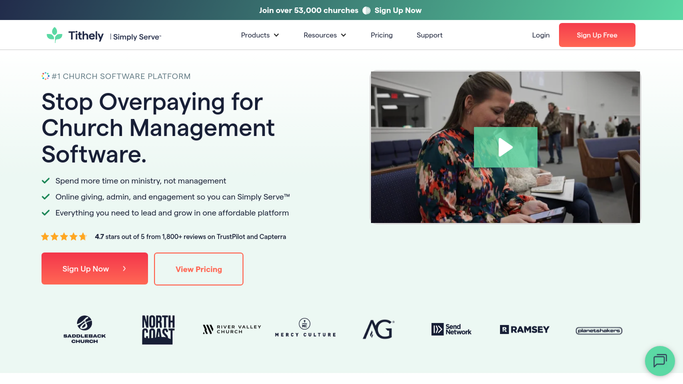
WebRun opens Tithe.ly to pull full-year contribution records. - Open Tithe.ly and navigate to giving reports for the prior calendar year
- Export the full contribution list including donor name, email, each gift date, amount, and fund
- Identify donors with valid email addresses and those who gave in cash or check for separate handling
- Flag any records with incomplete or mismatched contact information for staff review
Done when All prior-year contribution records are extracted and any data issues are flagged.
-
2
Google Sheets - log statement batch in review tracker
google.com How to Automate Google Sheets

WebRun opens Google Sheets to log statement batch in review tracker. - Open the year-end statement tracker in Google Sheets
- Log every donor with their total annual giving, number of gifts, and statement status
- Mark records with data issues as Needs Review so staff can correct them before statements go out
- Provide a summary row with total donors, total giving, and number of records flagged
Done when All donor records are logged in the tracker with statuses set and issues flagged.
-
3
Gmail - draft statements for staff approval
gmail.com How to Automate Gmail

WebRun opens Gmail to draft statements for staff approval. - Draft a personalized contribution statement email for each donor with a complete list of their gifts
- Include the church's EIN or tax ID and the standard IRS disclosure language
- Leave every statement as a draft in Gmail. Do not send any statement without staff review and approval.
- Batch the drafts in groups of 25 so staff can review them in manageable sets
Done when All statement drafts are queued in Gmail batches and ready for staff approval.
How is each run configured?
Secure by default
Connect once, stays signed in
WebRun signs in once and keeps each session in a persistent environment, so every run picks up right where it left off.
Every action is checked against this policy before it runs.
Questions, answered
Will it send statements to donors without staff approval?
No. Every statement is drafted and held in Gmail. Staff review and approve each batch before a single email is sent. Year-end tax statements are too important to send without a human checking them first.
Does it include the correct IRS tax disclosure language?
Yes. Each draft includes your church's EIN and the standard IRS disclosure language for charitable contributions. Your finance team should confirm the text matches current IRS requirements before approving the batch.
What about donors who gave by cash or check rather than through Tithe.ly?
WebRun identifies donors without online giving records and flags them in the tracker as Needs Manual Statement. Staff can then generate those statements separately from their own records.
Related templates
Put this on autopilot.
Turn it on in minutes - or have our team set it up for you.