Remind every registrant about their upcoming church event
Every morning, WebRun checks Planning Center for events and classes happening in the next 72 hours, finds every registrant, drafts a personalized reminder email for each attendee for coordinator review, and posts a current RSVP summary to the event coordinator in Slack.
- No credit card
- Under $0.01 per run
- Cancel anytime
How do I automatically remind church event registrants about upcoming events?
Every morning, WebRun checks Planning Center for events happening in the next 72 hours, finds every registrant, and drafts a personalized reminder email for each attendee for coordinator review. Coordinators also get a current RSVP count in Slack, so no registered attendee is ever forgotten and no coordinator is ever caught off guard.
- Every registered attendee gets a timely, personalized reminder reviewed by a coordinator before it sends
- Coordinators see current RSVP counts and flagged issues in Slack each morning
- Registrants with outstanding balances are flagged before the event so coordinators can follow up
Built for church event coordinators · small group directors · children's ministry staff · church administrators
What does WebRun do on every run?
The exact actions WebRun takes, in order - in plain language, so you can adjust anything.
-
WebRun signs in and gets to work
Opens
registrations.planningcenter.comin a real browser with your saved login - no setup, no API keys. -
1
Planning Center - find events and registrants in next 72 hours
planningcenter.com
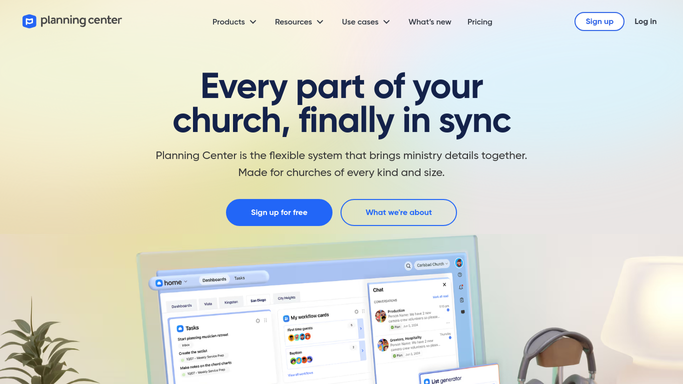
WebRun opens Planning Center to find events and registrants in next 72 hours. - Open Planning Center Registrations and filter for events happening in the next 72 hours
- List every registered attendee with their name, email, event name, date, and time
- Note any special requirements such as childcare requests, dietary needs, or payment balances
- Flag registrants who have an outstanding registration fee or incomplete form
Done when All registrants for upcoming events are captured with their details and any flags noted.
-
2
Gmail - draft personalized reminders for review
gmail.com How to Automate Gmail

WebRun opens Gmail to draft personalized reminders for review. - Draft a personalized reminder for each registrant with the event name, date, time, and location
- Include any specific instructions such as what to bring, parking details, or childcare pickup information
- Flag reminders for registrants with outstanding balances with a note about completing payment
- Leave all drafts in Gmail for the event coordinator to review before sending. Do not send automatically.
Done when A reviewed draft reminder is queued in Gmail for every upcoming event registrant.
-
3
Slack - post RSVP summary to coordinators
slack.com How to Automate Slack

WebRun opens Slack to post RSVP summary to coordinators. - Post a current RSVP count and attendee list to the event coordinator channel for each upcoming event
- Flag any registrants with outstanding balances or incomplete forms
- Include the total headcount so coordinators can confirm room setup and catering if needed
Done when Event coordinators have a current RSVP summary in Slack for every event in the next 72 hours.
How is each run configured?
Secure by default
Connect once, stays signed in
WebRun signs in once and keeps each session in a persistent environment, so every run picks up right where it left off.
Every action is checked against this policy before it runs.
Questions, answered
Will it send reminders to attendees automatically?
No. Every reminder is drafted and held in Gmail for an event coordinator to review before sending. This ensures the message tone, event details, and any special instructions are correct before anyone is contacted.
Can it handle reminders for multiple events or classes on the same day?
Yes. WebRun processes all upcoming events simultaneously and organizes reminders by event so each coordinator sees only the drafts relevant to their event.
What if someone cancels their registration after the reminders are drafted?
WebRun checks Planning Center for the current registration list each morning. If someone cancelled overnight, their reminder draft is removed from the queue before the coordinator reviews it.
Related templates
Put this on autopilot.
Turn it on in minutes - or have our team set it up for you.