Delight patients with a birthday wellness check-in
Every morning, WebRun opens Jane and finds patients whose birthday falls within the next seven days, drafts a warm personalised wellness check-in message for each in Gmail, and posts a Slack reminder so staff can review and send the messages before the birthday arrives.
- No credit card
- Under $0.01 per run
- Cancel anytime
How do I automatically send birthday wellness messages to chiropractic patients?
Every morning, WebRun opens Jane and finds patients with a birthday in the next seven days. It drafts a warm, personalised wellness check-in in Gmail for each one, saving it unsent for staff to review and approve. A Slack alert lists upcoming birthdays so no patient is missed, and each message is dispatched before their birthday arrives.
- Every patient receives a personal birthday message without staff having to track dates manually
- Inactive patients get a soft rebooking nudge at a moment when they are likely to feel positive
- Staff approve and send each message in one click, keeping the personal touch without the manual work
Built for chiropractic clinics · chiropractic front desk staff · solo and group chiro practices
What does WebRun do on every run?
The exact actions WebRun takes, in order - in plain language, so you can adjust anything.
-
WebRun signs in and gets to work
Opens
jane.appin a real browser with your saved login - no setup, no API keys. -
1
Jane - find patients with birthdays in the next 7 days
jane.app How to Automate Jane
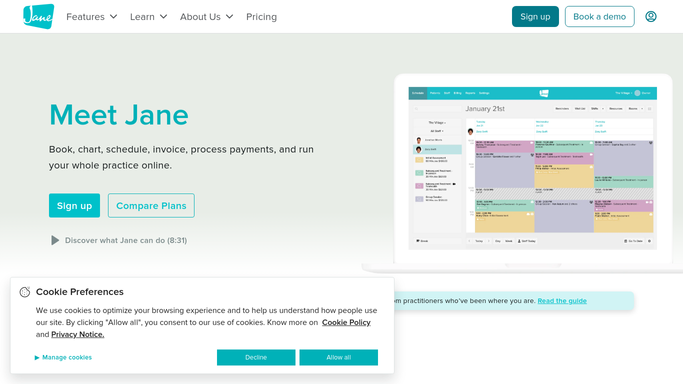
WebRun opens Jane to find patients with birthdays in the next 7 days. - Open Jane and check patient profiles for birthdays falling in the next 7 days
- Capture each patient's name, birthday, last visit date, and care plan status
- Skip patients who have already received a birthday message this year
Done when All patients with a birthday in the next 7 days are identified with their profile details.
-
2
Gmail - draft personalised birthday wellness check-in
gmail.com How to Automate Gmail

WebRun opens Gmail to draft personalised birthday wellness check-in. - Draft a warm, personalised birthday wellness check-in for each patient
- Wish them well and reference their wellness journey or care plan progress in general terms
- Include a soft invitation to book a visit if they have not been in recently
- Save every draft unsent in Gmail for staff review and approval before sending
- Never send a message to a patient without staff sign-off
Done when A Gmail birthday check-in draft is saved for each upcoming-birthday patient, pending staff approval.
-
3
Slack - alert staff to birthday check-ins ready for review
slack.com How to Automate Slack

WebRun opens Slack to alert staff to birthday check-ins ready for review. - Post a Slack alert to the front-desk channel listing patients with birthdays this week
- Include each patient's name, birthday date, and a note that the Gmail draft is ready to review
- Sort by birthday date, soonest first
Done when Staff are alerted in Slack with a birthday list and know the Gmail drafts are waiting for approval.
How is each run configured?
Secure by default
Connect once, stays signed in
WebRun signs in once and keeps each session in a persistent environment, so every run picks up right where it left off.
Every action is checked against this policy before it runs.
Questions, answered
Will it send birthday messages to patients automatically?
No. Every message is saved as a Gmail draft and held until a staff member reviews and approves it. No patient is contacted without human sign-off.
Will a patient receive a birthday message every year?
The cooldown is set to once per calendar year per patient, so WebRun skips patients who have already received a birthday check-in in the current year.
Can it include a booking link or promotional offer in the message?
Yes. Staff can configure a booking link or optional wellness offer to be included in birthday drafts during setup, and WebRun will insert it into each draft automatically.
Related templates
Put this on autopilot.
Turn it on in minutes - or have our team set it up for you.