Verify insurance eligibility for tomorrow's schedule before the day starts
Every evening, WebRun opens zHealth, pulls tomorrow's scheduled patients, checks insurance eligibility status for each, logs the results to a Google Sheet, and posts a summary to Slack with any flagged issues for billing staff to resolve before the first appointment.
- No credit card
- Under $0.01 per run
- Cancel anytime
How do I automatically verify insurance eligibility for chiropractic patients before their appointments?
Every evening, WebRun opens zHealth, checks insurance eligibility for every patient on tomorrow's schedule, and logs the results to a Google Sheet. Any patient with failed or missing coverage is flagged in both the sheet and a Slack summary, so billing staff resolve issues before the clinic opens.
- Eligibility issues are caught the evening before, not at the front desk during check-in
- Billing staff start each morning with a complete verified list instead of manual spot-checks
- Uninsured or lapsed-coverage patients are flagged before the appointment, avoiding claim rejections
Built for chiropractic billing staff · chiropractic office managers · multi-provider chiro practices
What does WebRun do on every run?
The exact actions WebRun takes, in order - in plain language, so you can adjust anything.
-
WebRun signs in and gets to work
Opens
zhealthehr.comin a real browser with your saved login - no setup, no API keys. -
1
zHealth - pull tomorrow's schedule and check eligibility
zhealthehr.com
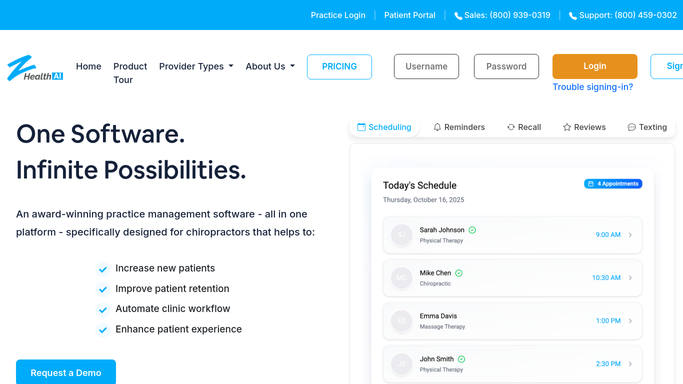
WebRun opens zHealth to pull tomorrow's schedule and check eligibility. - Open zHealth and navigate to tomorrow's appointment schedule
- Collect each patient name, appointment time, and insurance details on file
- Run or review the eligibility check for each insured patient
- Note any patients with inactive coverage, missing information, or eligibility errors
Done when Eligibility status is captured for every insured patient on tomorrow's schedule.
-
2
Google Sheets - log eligibility results per patient
google.com How to Automate Google Sheets

WebRun opens Google Sheets to log eligibility results per patient. - Log each patient's eligibility result to the daily insurance prep sheet
- Record payer name, coverage status, co-pay amount, and any error messages
- Highlight rows where eligibility failed or coverage details are missing
Done when All eligibility results are logged to the Google Sheet with issues clearly marked.
-
3
Slack - post eligibility summary and flag issues
slack.com How to Automate Slack

WebRun opens Slack to post eligibility summary and flag issues. - Post a summary to the billing Slack channel: total patients checked, verified count, and flagged count
- List each patient with a flagged eligibility issue by name and issue type
- Include a link to the Google Sheet for the full detail view
Done when Billing staff have an eligibility summary in Slack with all issues visible before the day starts.
How is each run configured?
Secure by default
Connect once, stays signed in
WebRun signs in once and keeps each session in a persistent environment, so every run picks up right where it left off.
Every action is checked against this policy before it runs.
Questions, answered
Does it contact patients or payers directly to resolve eligibility issues?
No. WebRun only checks and logs eligibility status. Any resolution is handled by billing staff using the flagged report. No external messages are sent automatically.
What happens if a patient has no insurance on file in zHealth?
Patients without insurance details are flagged separately in the Google Sheet and Slack summary so staff can confirm their payment arrangement before the appointment.
Can it check eligibility for different payers and plan types?
Yes. WebRun reads whatever insurance information is recorded in zHealth, covering major payers and plan types, and reports the eligibility result for each one.
Related templates
Put this on autopilot.
Turn it on in minutes - or have our team set it up for you.