Keep every holiday cheese preorder on track
Every morning during the holidays, WebRun opens Shopify to read new gift and platter preorders, checks each required cheese against ShelfPerks stock and cut plan, and logs a pickup-dated fulfillment tracker to Google Sheets so every holiday order is prepped in time.
- No credit card
- Under $0.01 per run
- Cancel anytime
 Shopify
pull new holiday preorders
Shopify
pull new holiday preorders
How do I track holiday cheese preorders against stock automatically?
WebRun keeps holiday preorders under control every morning. It pulls new gift and platter orders from Shopify, totals the cheese each one needs and checks it against ShelfPerks stock and inbound orders, then logs a pickup-dated fulfillment tracker to Google Sheets with shortfalls flagged, so every board is prepped and no order is missed.
- Every holiday preorder is dated and prepped, none forgotten
- Stock shortfalls surface early enough to reorder in time
- Deposit and unpaid orders are flagged for balance chasing
Built for cheese shop owners · specialty food retailers · gourmet gift sellers · holiday catering teams
What does WebRun do on every run?
The exact actions WebRun takes, in order - in plain language, so you can adjust anything.
-
WebRun signs in and gets to work
Opens
app.shelfperks.comin a real browser with your saved login - no setup, no API keys. -
1
Shopify - pull new holiday preorders

WebRun opens Shopify to pull new holiday preorders. - Open Shopify and pull preorders for holiday gift boxes and platters placed since the last run
- Capture the customer, items, quantities, and requested pickup or ship date
- Note whether each order is paid, deposit only, or awaiting payment
- Group orders by pickup date so the busiest days are visible
Done when Every new holiday preorder is captured with its items and pickup date.
-
2
ShelfPerks - reconcile against stock and cut plan
shelfperks.com How to Automate ShelfPerks
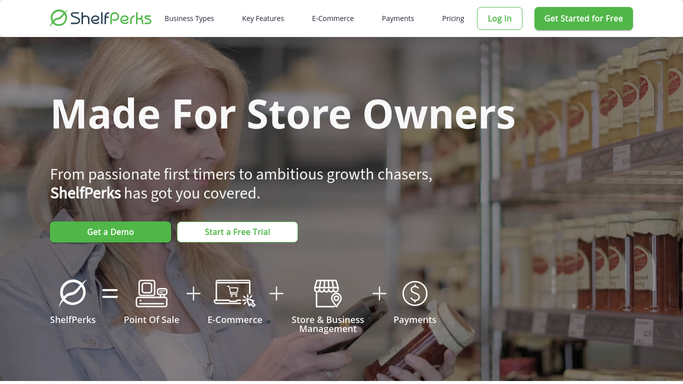
WebRun opens ShelfPerks to reconcile against stock and cut plan. - Open ShelfPerks and total the cheese each preorder requires by type and weight
- Compare the required total against current stock and inbound purchase orders
- Flag any cheese where committed preorders exceed what is on hand or on order
- Note the cut and box work each pickup date demands
Done when Every preorder's cheese needs are checked against stock, with shortfalls flagged.
-
3
Google Sheets - log the fulfillment tracker
google.com How to Automate Google Sheets

WebRun opens Google Sheets to log the fulfillment tracker. - Open the Holiday Preorder Tracker sheet
- Append each preorder with items, pickup date, payment status, and a ready or at-risk flag
- Roll up the cheese required per pickup date and highlight any stock shortfall
- Sort by pickup date so today's and tomorrow's prep sit at the top
Done when The tracker sheet shows every open preorder by pickup date with stock risk flagged.
How is each run configured?
Secure by default
Connect once, stays signed in
WebRun signs in once and keeps each session in a persistent environment, so every run picks up right where it left off.
Shopify
Sign in once
Every action is checked against this policy before it runs.
Questions, answered
Does it message customers or change orders in Shopify?
No. WebRun only reads preorders from Shopify and stock from ShelfPerks and writes a tracker to your Google Sheet. It never edits an order, fulfills it, or emails a customer, so nothing changes on your behalf.
How does it warn me about a stock shortfall?
It totals the cheese every open preorder commits and compares that to on-hand stock plus inbound purchase orders in ShelfPerks. Any cheese where demand outruns supply is flagged at-risk in the tracker so you can order more in time.
Can it handle deposit and pay-later preorders?
Yes. It reads the payment status from Shopify and marks each order as paid, deposit only, or awaiting payment in the tracker, so you can chase balances before pickup without mixing them up with fully paid orders.
Related templates
Put this on autopilot.
Turn it on in minutes - or have our team set it up for you.