Catch documentation gaps before discharge
Every morning, WebRun opens Solventum 360 Encompass, reviews concurrent charts for documentation gaps the CDI engine has flagged but nobody has queried yet, logs each gap to Google Sheets with its clinical indicator and unit, and emails your CDI team an internal digest grouped by nursing unit so gaps get resolved before discharge.
- No credit card
- Under $0.01 per run
- Cancel anytime
How do I catch clinical documentation gaps before a patient discharges?
WebRun reviews Solventum 360 Encompass every morning for charts with documentation gaps the CDI engine has flagged but nobody has queried, logs each one to a Google Sheets gap log grouped by nursing unit, and emails your CDI team an internal digest so gaps get resolved before the patient discharges, not after the chart closes.
- Gaps get flagged while the patient is still in house, not after discharge
- CDI specialists work each unit's gaps from one grouped log
- The team inbox gets one digest instead of checking Solventum chart by chart
Built for CDI specialists · concurrent review nurses · HIM departments · CDI directors
What does WebRun do on every run?
The exact actions WebRun takes, in order - in plain language, so you can adjust anything.
-
WebRun signs in and gets to work
Opens
www.solventum.com/en-us/home/health-information-technology/solutions/360-encompass-cdiin a real browser with your saved login - no setup, no API keys. -
1
Solventum - find charts with unresolved documentation gaps
solventum.com How to Automate Solventum
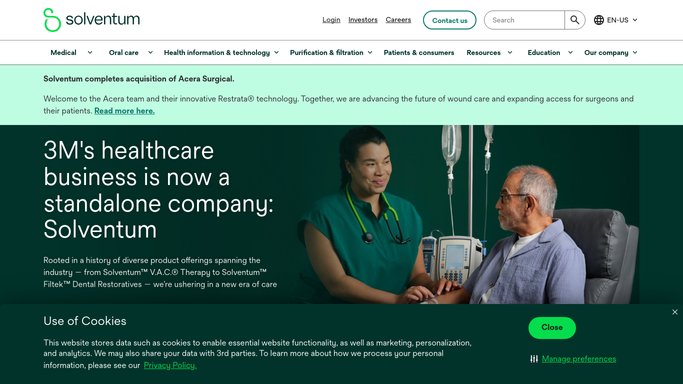
WebRun opens Solventum to find charts with unresolved documentation gaps. - Open Solventum 360 Encompass and review the CDI worklist for flagged documentation gaps not yet queried
- Capture the patient account number, nursing unit, clinical indicator, and days since admission for each
- Exclude charts already discharged or already queried for that gap
Done when Every unresolved documentation gap is listed with its clinical indicator and unit.
-
2
Google Sheets - log each gap by clinical indicator
google.com How to Automate Google Sheets

WebRun opens Google Sheets to log each gap by clinical indicator. - Open the Documentation Gap Log
- Append each gap as a new row with today's check date
- Group rows by nursing unit so specialists can work by floor
Done when The gap log reflects every open gap for today, grouped by unit.
-
3
Gmail - email the CDI team today's gap digest
gmail.com How to Automate Gmail

WebRun opens Gmail to email the CDI team today's gap digest. - Send an internal digest email to the CDI team distribution list summarizing today's gaps by unit and indicator
- Call out any chart nearing its expected discharge date first
- Link to the full Google Sheets log for detail
Done when The CDI team's inbox has today's gap digest with a link to the full log.
How is each run configured?
Secure by default
Connect once, stays signed in
WebRun signs in once and keeps each session in a persistent environment, so every run picks up right where it left off.
Every action is checked against this policy before it runs.
Questions, answered
Does it write a query or edit the chart on its own?
No. WebRun only reads and logs gaps the CDI engine has already flagged. It never edits the medical record, drafts a query, or submits anything in Solventum. A CDI specialist decides whether to query.
Who receives the gap digest email?
It sends to your internal CDI team distribution list only, never to a physician or anyone outside your CDI department, so it is purely an internal worklist email.
How does it prioritize which gaps to surface first?
It sorts each unit's gaps by days since admission, so charts closest to an expected discharge date and the risk of shipping unqueried appear at the top.
Related templates
Put this on autopilot.
Turn it on in minutes - or have our team set it up for you.