Book annual deep-clean customers before they forget
Every Monday, WebRun opens ServiceMonster, finds customers whose last deep clean was between 10 and 13 months ago, drafts a personalised annual recall email for each, and posts a Slack summary so you can review and approve before anything is sent.
- No credit card
- Under $0.01 per run
- Cancel anytime
How do I automatically recall carpet cleaning customers for their annual deep clean?
WebRun opens ServiceMonster every Monday, finds customers whose last deep-clean falls in the 10 to 13-month window, and drafts a personalised annual recall email in Gmail for each one. A Slack summary shows how many drafts are ready so you can review and send them before the anniversary passes and those customers book elsewhere.
- Annual deep-clean customers are contacted before they book a competitor
- Recall drafts reference the exact last service date for a personal touch
- Customers with future bookings are excluded automatically every run
Built for carpet cleaning companies · upholstery cleaning services · residential cleaning businesses · field service operators
What does WebRun do on every run?
The exact actions WebRun takes, in order - in plain language, so you can adjust anything.
-
WebRun signs in and gets to work
Opens
app.servicemonster.netin a real browser with your saved login - no setup, no API keys. -
1
ServiceMonster - find customers near their 12-month anniversary
servicemonster.net
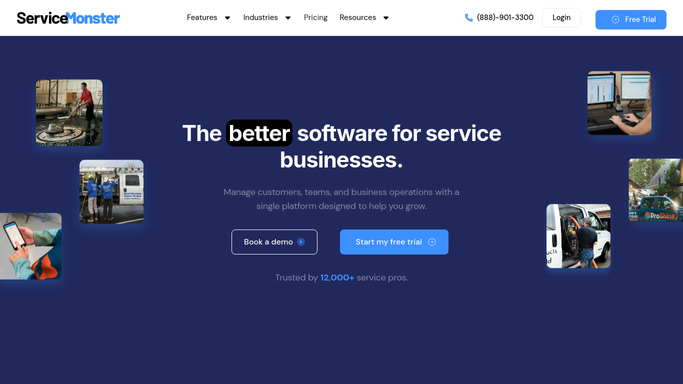
WebRun opens ServiceMonster to find customers near their 12-month anniversary. - Open ServiceMonster and filter job history to find customers whose last deep-clean job was between 10 and 13 months ago
- Capture the customer name, contact email, last service date, service type, and property address for each
- Skip customers who already have a future appointment booked or a do-not-contact tag
Done when Every customer in the annual recall window is listed with their last service date and contact details.
-
2
Gmail - draft annual deep-clean recall emails
gmail.com How to Automate Gmail

WebRun opens Gmail to draft annual deep-clean recall emails. - Draft a personalised annual deep-clean recall email for each customer, noting how long it has been since their last service
- Highlight the benefits of an annual professional deep clean and invite them to rebook
- Save every email as a draft, leaving it unsent for your review and approval
Done when A ready-to-send annual recall draft exists in Gmail for every customer in the recall window.
-
3
Slack - notify you to review and approve
slack.com How to Automate Slack

WebRun opens Slack to notify you to review and approve. - Post a Slack summary showing how many annual recall drafts are ready
- List the first few customers with their last service date so you can spot-check the personalisation
- Include a link to the Gmail drafts folder
Done when You have a Slack notification with the recall draft count and a link to approve and send.
How is each run configured?
Secure by default
Connect once, stays signed in
WebRun signs in once and keeps each session in a persistent environment, so every run picks up right where it left off.
Every action is checked against this policy before it runs.
Questions, answered
Will it send recall emails to customers without my approval?
No. Every recall email is saved as a Gmail draft for you to review first. Nothing is sent until you approve it, so you control every message before it reaches a customer.
What is the 10 to 13-month window and can I change it?
The window starts contacting customers 10 months after their last deep clean so you catch them early, and closes at 13 months to avoid chasing customers who just rebooked. You can adjust both thresholds to match your service schedule.
What if a customer already has a booking or has asked not to be contacted?
It checks ServiceMonster for future appointments and do-not-contact tags before each run, so those customers are excluded automatically from the recall batch.
Related templates
Put this on autopilot.
Turn it on in minutes - or have our team set it up for you.