Find the recurring charges you forgot you were paying
Every Monday, WebRun signs into Capital One, reads the transactions on each account across recent statement periods, groups them by merchant to find charges that repeat, keeps a subscription register in Notion, and sends you the review list on WhatsApp.
- No credit card
- Under $0.01 per run
- Cancel anytime
How do I find recurring subscription charges on my Capital One card?
Every Monday WebRun signs into Capital One, reads your card transactions across recent statement periods, and groups them by merchant to find the charges that repeat. It writes the subscription register to Notion and sends you the list on WhatsApp, so dead software and duplicate plans get cancelled.
- Forgotten subscriptions surface within a week instead of a year
- Every recurring merchant is listed with amount and last billed date
- Price increases are flagged the week they appear
Built for small business owners · finance managers · freelancers · household budgeters
What does WebRun do on every run?
The exact actions WebRun takes, in order - in plain language, so you can adjust anything.
-
WebRun signs in and gets to work
Opens
www.capitalone.comin a real browser with your saved login - no setup, no API keys. -
1
Capital One - read transactions by merchant
capitalone.com
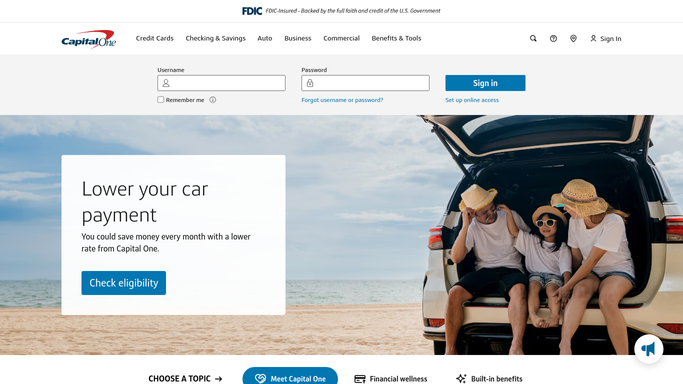
WebRun opens Capital One to read transactions by merchant. - Sign in to Capital One and open each account's transactions
- Read the recent statement periods and capture merchant, amount, and date for every charge
- Group charges by merchant and mark any that appear in three or more periods at a similar amount
Done when Every repeating merchant is identified with its amount and last billed date.
-
2
Notion - keep the subscription register
notion.so How to Automate Notion

WebRun opens Notion to keep the subscription register. - Update your subscription register page with one row per recurring merchant
- Record the amount, the billing rhythm, the last date billed, and the account it hits
- Flag rows where the amount went up since the previous charge, and rows you have already marked as cancelled
Done when The Notion register matches this week's recurring charges.
-
3
WhatsApp - send you the review list
whatsapp.com How to Automate WhatsApp

WebRun opens WhatsApp to send you the review list. - Send you the week's recurring-charge list, largest monthly cost first
- Call out anything new since last week and anything that increased in price
- Total the monthly spend so the whole subscription bill is one number
Done when You have this week's recurring charge review on WhatsApp.
How is each run configured?
Secure by default
Connect once, stays signed in
WebRun signs in once and keeps each session in a persistent environment, so every run picks up right where it left off.
Every action is checked against this policy before it runs.
Questions, answered
Can it move money or cancel a subscription for me?
No. WebRun reads your transactions and nothing else. It never makes a payment, moves funds, opens a dispute, or cancels a merchant. Every cancellation stays your decision to make.
Where does my transaction data go?
Only to your own Notion register and your own WhatsApp thread. Card numbers are never written out: the register records merchant, amount, and date, plus the last four digits of the account.
What about a charge that only looks recurring?
It requires the same merchant at a similar amount across three or more statement periods before flagging it, and it marks one-off lookalikes separately for you to judge.
Related templates
Put this on autopilot.
Turn it on in minutes - or have our team set it up for you.