Keep every plant tag audit ready
Every morning, WebRun opens Trym, pulls every active plant and its assigned Metrc tag, cross-checks the tag status and room against Metrc's live record, and posts your compliance lead a Slack worklist of any plant with a missing, duplicate, or mismatched tag.
- No credit card
- Under $0.01 per run
- Cancel anytime
How do I keep cannabis plant tags compliant with Metrc automatically?
WebRun checks every active plant in Trym against its Metrc tag each morning, comparing tag status, room, and growth phase. It flags any plant with a missing, duplicate, or mismatched tag and posts your compliance lead a Slack worklist, so tag records stay accurate year round instead of getting rushed right before a state inspection.
- Every plant tag is checked against Metrc every single morning
- Missing and duplicate tags get caught weeks before an inspector would find them
- Compliance leads open Slack to one worklist instead of two disconnected systems
Built for cultivation compliance leads · licensed grow facility managers · Metrc administrators · cannabis compliance officers
What does WebRun do on every run?
The exact actions WebRun takes, in order - in plain language, so you can adjust anything.
-
WebRun signs in and gets to work
Opens
trym.ioin a real browser with your saved login - no setup, no API keys. -
1
Trym - pull active plants and tags
trym.io How to Automate Trym
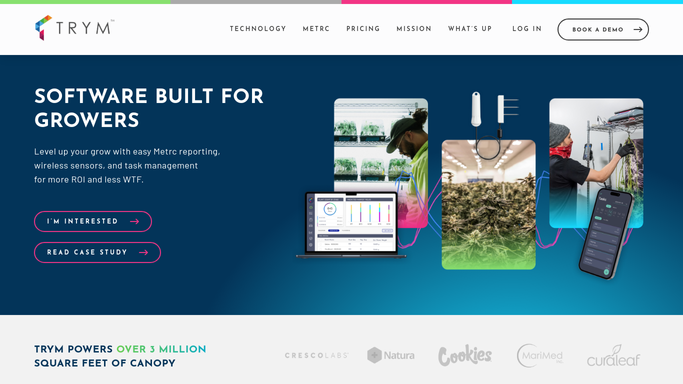
WebRun opens Trym to pull active plants and tags. - Open Trym and pull every active plant record across all rooms
- Capture each plant's assigned Metrc tag, growth phase, and room location
- Flag any plant with no tag on file or a tag not seen in the last sync
Done when Every active plant is listed with its tag, phase, and room.
-
2
Metrc - verify tag status live
metrc.com
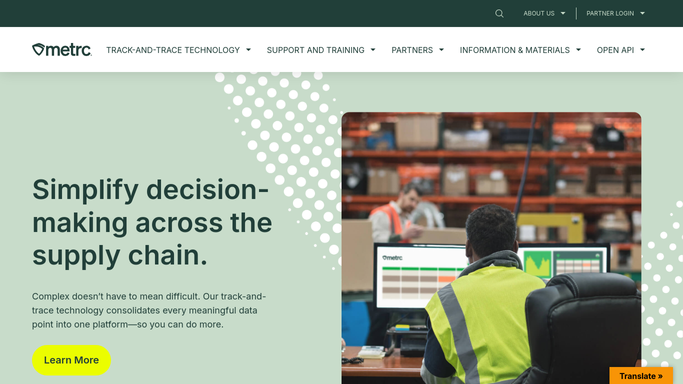
WebRun opens Metrc to verify tag status live. - Look up each tag from Trym in Metrc's live plant record
- Confirm the tag status is active and the room and phase match Trym
- Flag any tag that is inactive, already retired, or assigned to a different room in Metrc
Done when Every plant tag has been checked against its live Metrc status.
-
3
Slack - post the compliance worklist
slack.com How to Automate Slack

WebRun opens Slack to post the compliance worklist. - Post a worklist to the compliance channel listing every mismatch found
- Group by missing tag, duplicate tag, and room or phase mismatch
- Leave the correction in Metrc for a licensed employee. WebRun never edits tag records itself
Done when Your compliance lead has today's tag worklist in Slack with nothing left uncorrected in Metrc without review.
How is each run configured?
Secure by default
Connect once, stays signed in
WebRun signs in once and keeps each session in a persistent environment, so every run picks up right where it left off.
Every action is checked against this policy before it runs.
Questions, answered
Will WebRun fix mismatched tags in Metrc automatically?
No. WebRun only flags the mismatch and posts it to Slack. Correcting a plant tag in Metrc is a compliance action that stays with a licensed employee on your team.
How does it match a Trym plant to its Metrc tag?
It reads the Metrc tag number stored on each plant record in Trym, then looks that same tag up directly in Metrc to compare status, room, and phase.
What happens right before a state inspection?
Nothing changes. It runs the same check every morning, so your tag records are already correct instead of scrambling the night before an inspector arrives.
Related templates
Put this on autopilot.
Turn it on in minutes - or have our team set it up for you.