Keep every mother plant accounted for
Every Monday, WebRun opens Trym, reviews every active mother plant's health notes and cutting log, calculates cuttings taken since the last check and total lifetime cuttings, flags any mother overdue for rotation or showing a health flag, logs the week's report to Google Sheets, and sends your propagation team a Telegram summary.
- No credit card
- Under $0.01 per run
- Cancel anytime
How do I track mother plant cuttings and rotation automatically?
WebRun reviews every active mother plant in Trym each Monday, calculating cuttings taken that week and over its lifetime, and flags any mother past your rotation age or carrying an open health note. It logs the report to Google Sheets and sends your propagation team a Telegram summary, so rotation planning happens weekly instead of by memory.
- Overdue mothers get flagged weekly instead of discovered during a walkthrough
- Cutting trends per mother are visible over time instead of scattered across paper logs
- Propagation team plans rotation from one Telegram summary every Monday
Built for propagation managers · clone room technicians · cultivation directors · commercial grow facility owners
What does WebRun do on every run?
The exact actions WebRun takes, in order - in plain language, so you can adjust anything.
-
WebRun signs in and gets to work
Opens
trym.ioin a real browser with your saved login - no setup, no API keys. -
1
Trym - review mother plant health and cuttings
trym.io How to Automate Trym
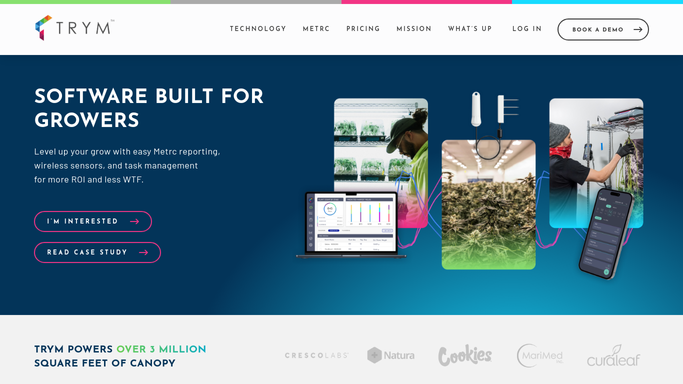
WebRun opens Trym to review mother plant health and cuttings. - Open Trym and pull every active mother plant's health notes and cutting log
- Calculate cuttings taken since last Monday and total lifetime cuttings per mother
- Flag any mother past its configured rotation age or with an open health flag
Done when Every active mother plant has this week's cutting count and rotation status.
-
2
Google Sheets - log the weekly tracking report
google.com How to Automate Google Sheets

WebRun opens Google Sheets to log the weekly tracking report. - Open the Mother Plant Tracker sheet
- Append this week's row per mother with cuttings taken, lifetime total, and rotation status
- Keep prior weeks in place so cutting trends per mother are visible over time
Done when This week's mother plant data is logged with full history preserved.
-
3
Telegram - summarize for the propagation team
telegram.org How to Automate Telegram

WebRun opens Telegram to summarize for the propagation team. - Send the propagation team a summary of mothers flagged for rotation or a health concern
- Include total cuttings taken across all mothers this week
- Link to the full sheet for the mother by mother detail
Done when Your propagation team has this week's rotation flags in Telegram with a link to the full log.
How is each run configured?
Secure by default
Connect once, stays signed in
WebRun signs in once and keeps each session in a persistent environment, so every run picks up right where it left off.
Every action is checked against this policy before it runs.
Questions, answered
Will it retire or replace a mother plant on its own?
No. WebRun only flags mothers that look overdue for rotation or show a health concern. Retiring or destroying a mother plant is a decision and an action your cultivation team makes.
How does it decide a mother is overdue for rotation?
It compares the mother's age and lifetime cutting count against the rotation threshold you set, so the flag reflects your own program rather than a fixed rule.
Does it track which room or strain each mother belongs to?
Yes. Every row in the weekly sheet includes the mother's strain and room, so the propagation team can see rotation needs by room at a glance.
Related templates
Put this on autopilot.
Turn it on in minutes - or have our team set it up for you.