Get lab results to your team the moment they land
The moment a batch's results post in Confident LIMS, WebRun reads the pass or fail status, potency, and any contaminant flags, matches the sample back to its harvest batch in Trym, and posts your team a Slack alert so everyone knows what's cleared to sell, what's on hold, and what needs a retest.
- No credit card
- Under $0.01 per run
- Cancel anytime
How do I get instant Slack alerts when cannabis lab test results come in?
WebRun checks Confident LIMS for newly posted results, reads the pass or fail status, potency, and contaminant flags, and matches the sample to its harvest batch in Trym. It posts a Slack alert the moment a result lands, putting any failed batch first, so your team knows what's cleared to sell within minutes.
- Team learns of a pass or fail within minutes of the lab publishing it, not at the next portal check
- Failed batches get flagged first so remediation starts the same day
- Sales has potency numbers on hand the moment a batch clears
Built for cultivation quality managers · compliance leads · wholesale sales teams · harvest batch managers
What does WebRun do on every run?
The exact actions WebRun takes, in order - in plain language, so you can adjust anything.
-
WebRun signs in and gets to work
Opens
confidentlims.comin a real browser with your saved login - no setup, no API keys. -
1
Confident LIMS - read the new test result
confidentlims.com
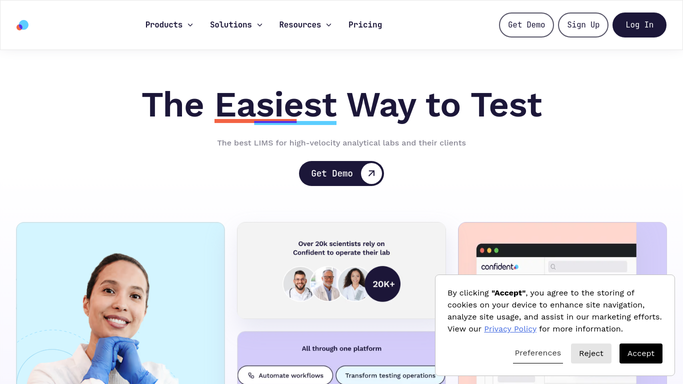
WebRun opens Confident LIMS to read the new test result. - Check for any newly posted test result for a sample your facility submitted
- Read the pass or fail status, cannabinoid potency, and any contaminant or pesticide flags
- Note the sample ID and submission date
Done when Every newly posted result has its status and potency captured.
-
2
Trym - match the sample to its batch
trym.io How to Automate Trym
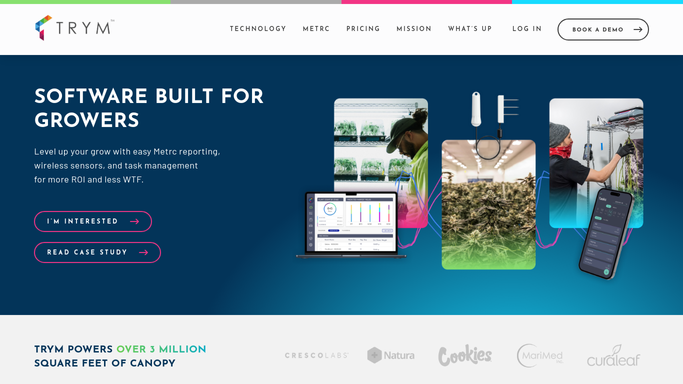
WebRun opens Trym to match the sample to its batch. - Match the sample ID back to its source harvest batch in Trym
- Confirm the batch's current status and available quantity
- Update nothing automatically. WebRun only reads the batch to confirm the match
Done when Every new result is matched to its correct harvest batch in Trym.
-
3
Slack - alert the team on pass or fail
slack.com How to Automate Slack

WebRun opens Slack to alert the team on pass or fail. - Post an alert to the team channel with the batch, strain, and pass or fail status
- Put any failed or flagged result at the top, tagging the compliance lead
- Include potency numbers for passed batches so sales has them on hand
Done when Your team has an alert for every new result, with failures flagged first.
How is each run configured?
Secure by default
Connect once, stays signed in
WebRun signs in once and keeps each session in a persistent environment, so every run picks up right where it left off.
Every action is checked against this policy before it runs.
Questions, answered
Does it submit results to Metrc or notify the state?
No. WebRun only relays the result internally to your team in Slack. Your lab and Metrc's own reporting integration handle any official state submission.
What happens when a batch fails testing?
It posts that result at the top of the Slack alert and tags your compliance lead, but the retest, remediation, or destruction decision is made by your team, not by WebRun.
How fast does the alert reach my team?
It checks for new results as they post in Confident LIMS, so your team typically knows within minutes of the lab publishing the report, not whenever someone happens to check the portal.
Related templates
Put this on autopilot.
Turn it on in minutes - or have our team set it up for you.