Flag beef and pork price swings early
Every morning, WebRun opens QuickBooks, checks any new beef or pork supplier bill against the trailing 30 day average cost per pound recorded from Markt POS receiving, and emails the owner when a swing is big enough that case pricing may need a look.
- No credit card
- Under $0.01 per run
- Cancel anytime
How do I get alerted when beef or pork prices swing?
WebRun flags beef and pork price swings the morning they happen. It checks every new QuickBooks supplier bill against the trailing 30 day average cost per pound from Markt POS, and emails the owner when a swing tops 7 percent, naming the cut, the old and new cost, and the supplier, so pricing decisions get made on real numbers, not a guess.
- Price swings over 7 percent get an email the same morning the bill arrives
- Case pricing decisions are backed by the trailing 30 day average, not a guess
- Routine day to day cost moves are skipped so only real swings reach the owner
Built for butcher shops · meat markets · independent grocers · meat department buyers
What does WebRun do on every run?
The exact actions WebRun takes, in order - in plain language, so you can adjust anything.
-
WebRun signs in and gets to work
Opens
quickbooks.intuit.comin a real browser with your saved login - no setup, no API keys. -
1
QuickBooks - check new beef and pork bills
- Open QuickBooks and pull any new bill from beef or pork suppliers
- Capture the cost per pound by cut or carcass type
- Skip bills already reviewed in a prior run
Done when Every new beef or pork bill has a captured cost per pound.
-
2
Markt POS - pull the trailing average cost
marktpos.com How to Automate Markt POS
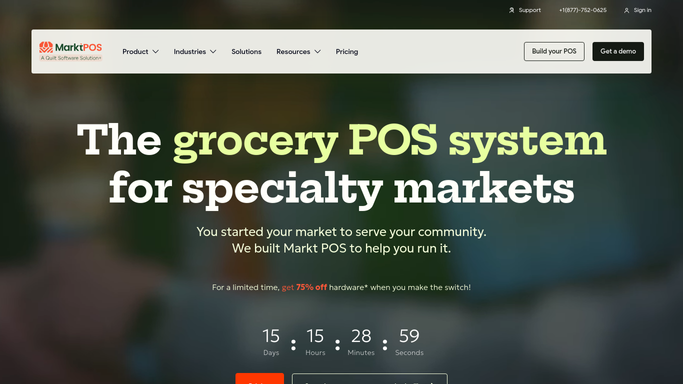
WebRun opens Markt POS to pull the trailing average cost. - Pull the trailing 30 day average cost per pound from Markt POS receiving records
- Compare the new bill's cost against that average
- Calculate the percentage swing for each cut or carcass type
Done when Every new bill has a calculated percentage swing against the trailing average.
-
3
Gmail - email the owner about the swing
gmail.com How to Automate Gmail

WebRun opens Gmail to email the owner about the swing. - Draft and send an email to the owner for any swing over 7 percent
- Include the cut, the old and new cost per pound, and the supplier
- Suggest whether case pricing may need a look, without changing anything
Done when The owner has an email for any beef or pork price swing over 7 percent.
How is each run configured?
Secure by default
Connect once, stays signed in
WebRun signs in once and keeps each session in a persistent environment, so every run picks up right where it left off.
Every action is checked against this policy before it runs.
Questions, answered
Does it change case prices when it flags a swing?
No. It only emails the owner with the numbers. Any change to case pricing is a decision the owner makes and applies in Markt POS themselves.
What counts as a meaningful swing?
By default, more than 7 percent off the trailing 30 day average cost per pound. Tell WebRun a tighter or looser threshold and it uses that instead.
Does it flag every bill, even small routine changes?
No. Small day to day cost moves are expected and skipped. Only a swing past your threshold triggers an email.
Related templates
Put this on autopilot.
Turn it on in minutes - or have our team set it up for you.