See how healthy your mobile builds really are
Every Monday, WebRun opens Bitrise, reads every build from the last seven days, works out pass rate, average duration, and which workflows failed more than once, appends the week to an Airtable history, and publishes a scorecard page in Notion.
- No credit card
- Under $0.01 per run
- Cancel anytime
How do I track mobile CI build health week over week?
WebRun opens Bitrise every Monday and reads the past seven days of builds across your apps. It calculates pass rate, average duration, and repeat failing workflows, logs the week into Airtable, and publishes a Notion scorecard, so build health is a number the team sees rather than a feeling.
- Pass rate and build duration are tracked every week, not guessed at
- Repeat failing workflows are named before release week
- A quarter of build history builds itself in Airtable
Built for mobile engineering teams · release managers · platform and DevOps engineers · engineering leads
What does WebRun do on every run?
The exact actions WebRun takes, in order - in plain language, so you can adjust anything.
-
WebRun signs in and gets to work
Opens
app.bitrise.ioin a real browser with your saved login - no setup, no API keys. -
1
Bitrise - read last week's builds
bitrise.io
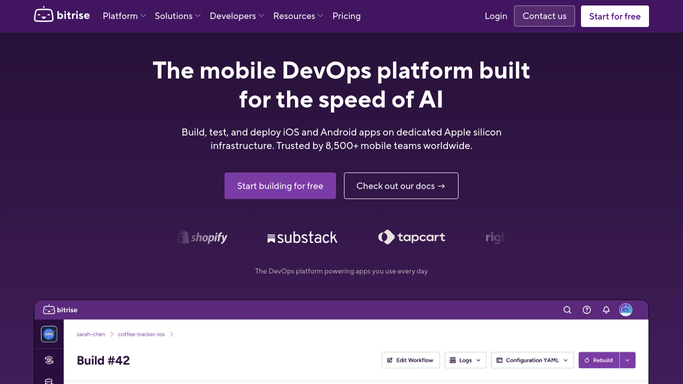
WebRun opens Bitrise to read last week's builds. - Sign in to Bitrise and open the build list for each app you ship
- Capture every build from the last seven days with its workflow, branch, status, and duration
- Count successes, failures, and aborted builds, and note which workflows failed more than once
Done when Last week's builds are counted by workflow with status and duration.
-
2
Airtable - log the weekly history
airtable.com How to Automate Airtable

WebRun opens Airtable to log the weekly history. - Append one Airtable row per app per week with build count, pass rate, and average duration
- Add a second table row for each workflow that failed repeatedly, with the failure count
- Leave earlier weeks untouched so the trend across the quarter stays intact
Done when Airtable holds last week's build totals alongside every earlier week.
-
3
Notion - publish the scorecard
notion.so How to Automate Notion

WebRun opens Notion to publish the scorecard. - Update the build health page in Notion with this week's pass rate, average duration, and build count
- List the repeat failing workflows first, with how many times each fell over
- Show the change against the previous week so a slide in pass rate is obvious
Done when The Notion scorecard shows this week's build health and the repeat offenders.
How is each run configured?
Secure by default
Connect once, stays signed in
WebRun signs in once and keeps each session in a persistent environment, so every run picks up right where it left off.
Every action is checked against this policy before it runs.
Questions, answered
Will it start, cancel, or rerun builds?
No. WebRun only reads your Bitrise build history. It never triggers a build, aborts one, edits a workflow, or changes a secret or environment variable.
Which builds does it count?
Every build from the last seven days across the apps you point it at, split by workflow and branch, including aborted runs so the pass rate is not flattered.
Can it tell a flaky workflow from a genuinely broken one?
It flags workflows that failed more than once in the week and shows how many of those runs later passed on a retry, which is the usual signal that a workflow is flaky rather than broken.
Related templates
Put this on autopilot.
Turn it on in minutes - or have our team set it up for you.