Remind customers their ADAS needs recalibration after glass work
Every morning, WebRun opens GlassBiller, finds completed windshield replacement jobs where the vehicle requires ADAS recalibration, drafts a follow-up reminder for each customer in Gmail, and posts your shop a list of outstanding recalibration referrals in Slack.
- No credit card
- Under $0.01 per run
- Cancel anytime
How do I remind customers about ADAS recalibration after a windshield replacement?
WebRun checks GlassBiller every morning for recently completed windshield replacements where the vehicle requires ADAS recalibration, drafts a safety-focused follow-up email for each customer in Gmail, and posts your shop a list of outstanding recalibration referrals in Slack. Every draft waits for your approval before it reaches any customer.
- Every vehicle needing ADAS recalibration is flagged within 24 hours of install
- Customers receive a safety reminder before driving on an uncalibrated system
- Recalibration revenue captured that would otherwise be missed
Built for auto glass shops · windshield replacement technicians · ADAS calibration shops · glass service managers
What does WebRun do on every run?
The exact actions WebRun takes, in order - in plain language, so you can adjust anything.
-
WebRun signs in and gets to work
Opens
app.glassbiller.comin a real browser with your saved login - no setup, no API keys. -
1
GlassBiller - find completed jobs needing ADAS recalibration
glassbiller.com
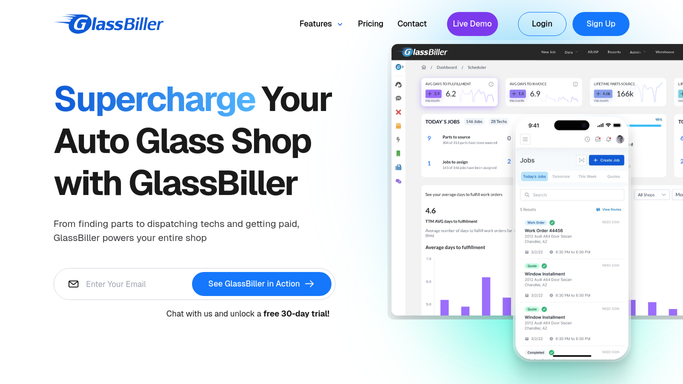
WebRun opens GlassBiller to find completed jobs needing ADAS recalibration. - Open GlassBiller and navigate to completed jobs from the last 3 days
- Filter for windshield replacements on vehicles flagged as requiring ADAS recalibration
- Capture the customer name, vehicle make, model, year, contact details, and job date
- Note whether the shop performed recalibration in-house or whether it was referred out
Done when All recent completed windshield jobs requiring ADAS recalibration are identified.
-
2
Gmail - draft recalibration reminder for the customer
gmail.com How to Automate Gmail

WebRun opens Gmail to draft recalibration reminder for the customer. - Draft a safety-focused follow-up email for each customer explaining that their vehicle's ADAS system needs recalibration after windshield replacement
- Include your shop's recalibration service or a trusted referral partner
- Leave every draft unsent in Gmail for your review
- Do not send any message without your approval
Done when A draft ADAS recalibration reminder is queued in Gmail for each eligible customer.
-
3
Slack - post outstanding recalibration list to the shop
slack.com How to Automate Slack

WebRun opens Slack to post outstanding recalibration list to the shop. - Post a list of all customers with pending ADAS recalibration to the shop's Slack channel
- Note which customers have received a reminder draft and which are still outstanding
- Flag any customers who have been waiting more than 48 hours without booking
Done when The shop has a current list of outstanding ADAS recalibration follow-ups in Slack.
How is each run configured?
Secure by default
Connect once, stays signed in
WebRun signs in once and keeps each session in a persistent environment, so every run picks up right where it left off.
Every action is checked against this policy before it runs.
Questions, answered
Will it contact customers about ADAS without my review?
No. WebRun drafts every reminder and leaves it unsent in Gmail. You read and approve each message before it reaches the customer.
How does it know which vehicles require ADAS recalibration?
It reads the ADAS flag recorded on the job in GlassBiller. Your team sets that flag at the time of the install, and WebRun picks it up from there.
What if we performed recalibration in-house at the time of install?
It checks whether recalibration was completed as part of the job record. If it was done in-house, that customer is excluded from the reminder list automatically.
Related templates
Put this on autopilot.
Turn it on in minutes - or have our team set it up for you.