Follow up after every delivery to lock in satisfaction
Whenever Tekmetric marks a repair as delivered, WebRun drafts a short, friendly satisfaction check-in text for the customer via Twilio and queues it in Slack for your team to approve, so every customer hears from you after their repair without anyone on the floor making a manual call.
- No credit card
- Under $0.01 per run
- Cancel anytime
How do I automatically follow up with customers after a repair delivery?
WebRun watches Tekmetric for newly delivered repair jobs and drafts a personalized satisfaction follow-up text for each customer via Twilio. Each draft is posted to Slack for your team to review and approve before sending, so every customer hears from your shop after their repair without any manual effort.
- Every delivered customer gets a follow-up within minutes, not days
- Unhappy customers surface early before leaving a negative review
- All outbound texts are reviewed by a human before they reach the customer
Built for auto body shops · collision repair centers · independent body shops · dealership service departments
What does WebRun do on every run?
The exact actions WebRun takes, in order - in plain language, so you can adjust anything.
-
WebRun signs in and gets to work
Opens
app.tekmetric.comin a real browser with your saved login - no setup, no API keys. -
1
Tekmetric - detect completed deliveries
tekmetric.com
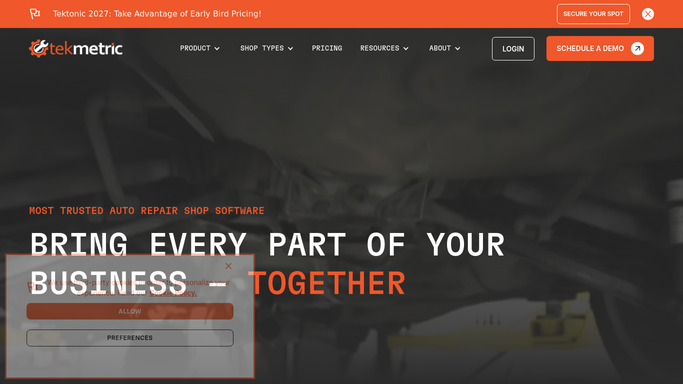
WebRun opens Tekmetric to detect completed deliveries. - Open Tekmetric and scan for repair orders newly marked as delivered since the last run
- Capture the customer name, mobile number, vehicle, and delivery date for each
- Skip any customer who already received a follow-up text from a previous run
Done when All newly delivered vehicles are identified with customer contact information.
-
2
Twilio - draft the satisfaction text
twilio.com How to Automate Twilio

WebRun opens Twilio to draft the satisfaction text. - Draft a short, friendly satisfaction follow-up text using the customer name and vehicle
- Ask if they are happy with the repair and invite them to reach out with any concerns
- Save the draft in Twilio without sending it
Done when A draft satisfaction text exists in Twilio for each delivered vehicle, unsent and awaiting approval.
-
3
Slack - queue the draft for team approval
slack.com How to Automate Slack

WebRun opens Slack to queue the draft for team approval. - Post each draft text to the delivery follow-up Slack channel
- Include the customer name, vehicle, delivery date, and the proposed message text
- Note that the message is a draft and requires team approval before Twilio sends it
Done when Each pending follow-up draft is visible in Slack for the team to approve or adjust.
How is each run configured?
Secure by default
Connect once, stays signed in
WebRun signs in once and keeps each session in a persistent environment, so every run picks up right where it left off.
Every action is checked against this policy before it runs.
Questions, answered
Will it text customers without anyone on the team approving the message?
No. WebRun drafts the satisfaction text in Twilio and posts it to Slack for review. Nothing is sent to the customer until a team member approves it, so every outbound message reflects your shop's voice.
How soon after delivery does the follow-up draft appear?
WebRun checks Tekmetric every few minutes, so the Slack draft typically appears within minutes of the delivery being marked complete. Your team can approve and send it while the experience is still fresh for the customer.
What if a customer had a problem with their repair?
The satisfaction text invites the customer to reach out with any concerns, so issues surface early. If a customer responds negatively, your team handles the conversation directly before it escalates to a public review.
Related templates
Put this on autopilot.
Turn it on in minutes - or have our team set it up for you.