Get alerted when Authorize.Net declines a transaction
Every hour, WebRun opens Authorize.Net, checks for transactions declined since the last run, logs each one with its decline reason to a running Google Sheet, and emails you an alert so a spike in declines gets caught the same hour, not at the end of the month.
- No credit card
- Under $0.01 per run
- Cancel anytime
How do I get alerted when Authorize.Net transactions get declined?
WebRun checks Authorize.Net every hour for newly declined transactions, logs each one with its decline reason to Google Sheets, and emails you an alert. It never retries a charge or moves money itself, so a spike in declines, a gateway issue, or a fraud pattern gets caught the same hour instead of at month end reconciliation.
- A decline spike gets caught the same hour it happens
- Every decline reason builds into a searchable Sheets log
- Quiet hours stay quiet since only new declines trigger an email
Built for ecommerce merchants · payments operations · SaaS billing teams · finance managers
What does WebRun do on every run?
The exact actions WebRun takes, in order - in plain language, so you can adjust anything.
-
WebRun signs in and gets to work
Opens
account.authorize.netin a real browser with your saved login - no setup, no API keys. -
1
Authorize.Net - check for declined transactions
authorize.net
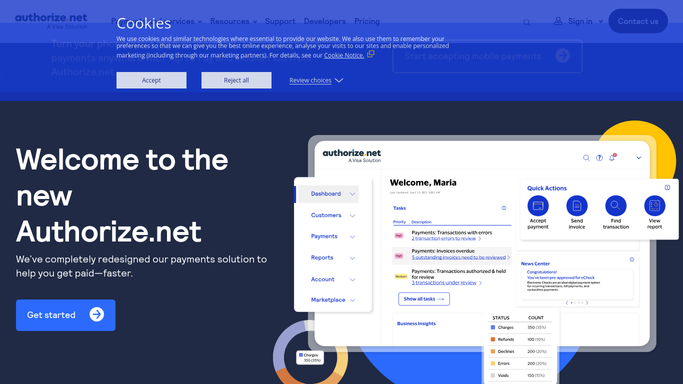
WebRun opens Authorize.Net to check for declined transactions. - Open the Authorize.Net merchant interface and check declined transactions
- Note the amount, customer, and decline reason for each
- Compare the decline count to the prior hour
Done when Every decline since the last check is captured with its reason.
-
2
Google Sheets - log each decline
google.com How to Automate Google Sheets

WebRun opens Google Sheets to log each decline. - Append a row for each declined transaction
- Include the amount, customer, and decline reason
- Keep every prior hour's rows untouched
Done when Every new decline is appended to the running sheet.
-
3
Gmail - email you the alert
gmail.com How to Automate Gmail

WebRun opens Gmail to email you the alert. - Send an email only when a new decline was found
- List the amount, customer, and reason for each
- Stay quiet on hours with no declines
Done when You're emailed the same hour a decline is found.
How is each run configured?
Secure by default
Connect once, stays signed in
WebRun signs in once and keeps each session in a persistent environment, so every run picks up right where it left off.
Every action is checked against this policy before it runs.
Questions, answered
Will it retry the declined charge for me?
No. WebRun never sends a payment, issues a refund, or transfers funds on its own. It only reads declined transactions and reports them, leaving any retry or customer follow up to you.
Will I get an email for every single decline?
It emails you a batch alert each hour with every new decline listed, rather than one email per transaction, so your inbox stays manageable during a spike.
Can I see decline trends over time?
Yes. Every decline is logged as a row in Google Sheets with its reason, so you can spot patterns like a card type or gateway issue over time.
Related templates
Put this on autopilot.
Turn it on in minutes - or have our team set it up for you.