Make sure everyone on the plan is actually protected
On the first of each month, WebRun opens Aura, walks every profile on your plan, notes which protections are active and which were never finished, drafts a short nudge email in Gmail for each person with something outstanding, and sends you a WhatsApp summary of who is fully covered and who is not.
- No credit card
- Under $0.01 per run
- Cancel anytime
How do I check that everyone on my Aura plan is fully set up?
WebRun signs in to Aura once a month and walks every profile on your plan, noting which protections are active and which were never finished. It drafts a Gmail nudge for each person with setup outstanding, leaves it unsent, and sends you a WhatsApp summary of who is fully covered.
- Half-finished setup is caught in weeks, not after an incident
- Nudges are written for you and sent only when you approve
- One monthly message tells you exactly who is covered
Built for families · parents · small business owners · anyone managing a shared plan
What does WebRun do on every run?
The exact actions WebRun takes, in order - in plain language, so you can adjust anything.
-
WebRun signs in and gets to work
Opens
aura.comin a real browser with your saved login - no setup, no API keys. -
1
Aura - review coverage on every profile
aura.com
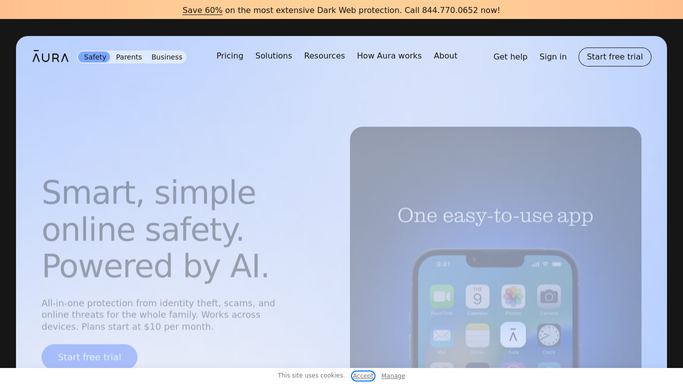
WebRun opens Aura to review coverage on every profile. - Sign in to Aura and open the account overview
- Go through each profile on the plan in turn
- Note which protections show as active and which are still incomplete
- Record any profile that has never finished its initial setup
- Note any open alert that has been sitting unread
Done when Every profile on the plan has a clear active or incomplete status.
-
2
Gmail - draft a nudge for anyone missing setup
gmail.com How to Automate Gmail

WebRun opens Gmail to draft a nudge for anyone missing setup. - Open Gmail and draft a short, friendly nudge for each person with something incomplete
- Name only what is missing and what finishing it takes
- Keep every message a draft and send nothing
- Skip anyone who was already nudged in the last two months
Done when A nudge is drafted for each person with unfinished setup, all unsent.
-
3
WhatsApp - send you the coverage summary
whatsapp.com How to Automate WhatsApp

WebRun opens WhatsApp to send you the coverage summary. - Send yourself a short WhatsApp coverage summary
- Show how many profiles are fully covered and how many are not
- List each incomplete profile with the one thing it is missing
- Mention any alert that has been left unread
Done when You have this month's coverage picture in WhatsApp.
How is each run configured?
Secure by default
Connect once, stays signed in
WebRun signs in once and keeps each session in a persistent environment, so every run picks up right where it left off.
Every action is checked against this policy before it runs.
Questions, answered
Will it email my family members without asking?
No. Every nudge is saved as a Gmail draft and left unsent. You read each one and decide whether to send it, so nobody gets a message you did not approve.
Does it change any security settings in Aura?
No. WebRun only reads the coverage status of each profile. Turning a protection on, adding a profile, or acting on an alert stays with you inside your own Aura account.
Can it run more often than monthly?
Yes. Monthly suits a coverage checkup, but you can set it to weekly if you have just added profiles and want to see setup finish, and the run is identical either way.
Related templates
Put this on autopilot.
Turn it on in minutes - or have our team set it up for you.