Stop letting emails wait days for a reply
Every morning, WebRun opens your Aqua Mail inbox, finds threads where the last message came in and no reply went out, works out how long each has waited, writes them into a Google Sheet, and sends you the overdue list on Telegram, oldest first.
- No credit card
- Under $0.01 per run
- Cancel anytime
How do I find emails that have gone unanswered for too long?
WebRun opens your Aqua Mail inbox every morning and finds threads where a message came in and no reply went out. It logs each one in a Google Sheet with its waiting time and sends you the overdue list on Telegram, oldest first, so nothing sits unanswered for days.
- Every thread waiting more than two days is named each morning
- The oldest unanswered email is always at the top of the list
- No reply is ever sent without you writing it
Built for small business owners · customer support teams · consultants · sales reps
What does WebRun do on every run?
The exact actions WebRun takes, in order - in plain language, so you can adjust anything.
-
WebRun signs in and gets to work
Opens
aqua-mail.comin a real browser with your saved login - no setup, no API keys. -
1
Aqua Mail - find threads with no reply
aqua-mail.com
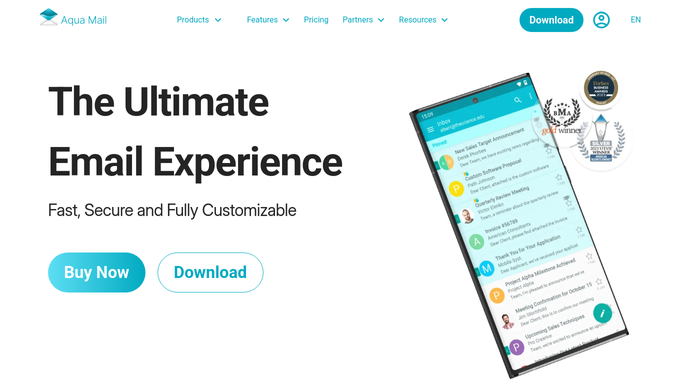
WebRun opens Aqua Mail to find threads with no reply. - Open Aqua Mail and go through the inbox on each connected account
- Find every thread where the most recent message is inbound and no reply has been sent
- Record the sender, subject, date received, account, and how many days it has waited
Done when Every unanswered thread is listed with its sender and waiting days.
-
2
Google Sheets - log each one with its waiting time
google.com How to Automate Google Sheets

WebRun opens Google Sheets to log each one with its waiting time. - Open your reply queue in Google Sheets and add a row for each unanswered thread
- Fill in sender, subject, account, date received, and days waiting
- Mark rows as answered when a reply has since gone out, so the sheet shrinks as you work through it
Done when The sheet lists every open thread with the number of days it has waited.
-
3
Telegram - send you the overdue list
telegram.org How to Automate Telegram

WebRun opens Telegram to send you the overdue list. - Send a Telegram message with the threads waiting longest at the top
- Show the sender, the subject, and the days waiting for each
- Call out anything past your service promise, such as two working days, and stay quiet when the queue is empty
Done when You have today's overdue reply list on Telegram.
How is each run configured?
Secure by default
Connect once, stays signed in
WebRun signs in once and keeps each session in a persistent environment, so every run picks up right where it left off.
Every action is checked against this policy before it runs.
Questions, answered
Will it reply to anyone on my behalf?
No. WebRun only reads your Aqua Mail inbox and builds the list. It never sends, replies, forwards, deletes, or archives a message, so every reply is still written and sent by you.
Does it read every email in my account?
It scans the folders you point it at, normally the inbox on each connected account, and it records only the sender, subject, date, and waiting time. Message bodies are not copied into the sheet.
What about newsletters and automated mail?
You give it a skip list once, covering newsletters, no-reply addresses, and notification senders, and those threads never enter the queue.
Related templates
Put this on autopilot.
Turn it on in minutes - or have our team set it up for you.