How to Automate FieldFlo
FieldFlo already runs the office: Online Training and Certificate Tracking watches expiries, Scheduling deploys crews by SMS, and Job Costing sets spend against the bid while the job runs. The dates it watches still arrive by hand, from the lab, the clinic and the general contractor, which is where an agent like WebRun works.
 Written by
Hannah Vogel
Finance operations
Written by
Hannah Vogel
Finance operations
 Reviewed by
Nikhil Bhatt
Automation strategist
Reviewed by
Nikhil Bhatt
Automation strategist
FieldFlo carries an abatement job from the bid to the closeout
Nothing in an abatement job is finished until the paperwork agrees that it is. A containment goes up, negative air machines run, a crew works in respirators and suits, air monitoring pumps sit inside and outside the barrier, and every hour of it becomes a record that has to exist afterwards.
FieldFlo is the office system underneath that work. It is built for demolition, asbestos abatement and environmental remediation contractors rather than adapted from general construction software, and it runs a job from the bid through to closeout: scheduling with crews deployed by SMS, time tracking with per diem and breaks, job costing against the estimate, equipment and stock out of the warehouse, training records and certificates, employee skills and incidents, and a form builder for whatever the company still runs on paper.
The company running on it is usually a subcontractor, working inside somebody else's project and to somebody else's schedule, and it depends on showing that the right people, correctly certified, did the right thing on the right day.
Every hour inside containment becomes a document somebody files
The documents that matter most are the ones the contractor does not produce.
Air sample cassettes go to an analytical lab and the results post on the lab's own site. Respirator fit tests and medical clearances happen at a clinic that keeps its own portal and its own dates. Refresher training runs at a provider who issues the certificate and holds the roster. Waste goes to a disposal facility and the signed copy of the manifest comes back when it comes back. The general contractor publishes the schedule, the change orders and the next bid package on a project site with its own login.
So the office spends its week as a courier. Somebody signs into six systems, downloads what is there, renames it and files it into FieldFlo against the right job and the right worker. Miss one and a crew is standing at a gate at six in the morning.
Certificate tracking watches a date somebody keyed in
FieldFlo does the tracking part properly, and a contractor still running this off a wall planner should start there.
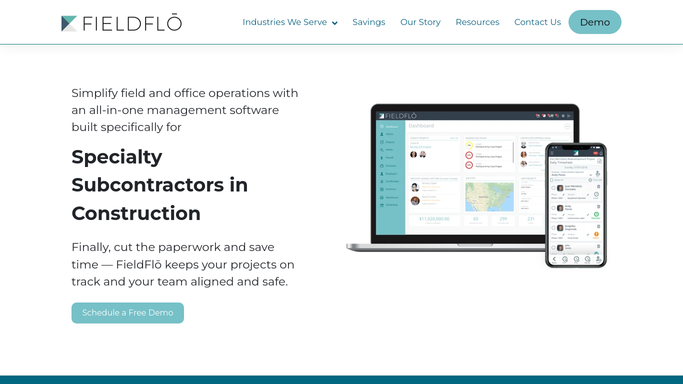
Online Training and Certificate Tracking builds the programs, generates the certificates and then watches the expiries. Employee HR and Skill Tracking holds qualifications, roles and incidents per person. Scheduling pushes assignments to crews by SMS and feeds the timesheets. Job Costing sets real labour, material and equipment spend against the bid while the job is still running, and Time and Material Tracking turns extra work into a documented change order instead of an argument at the end.
All of it depends on the date being right. FieldFlo watches an expiry faithfully, but the expiry it watches is the one somebody typed in after opening an email. If the clinic moved a fit test, if the provider failed a worker on the refresher, if the lab reissued a result, none of that reaches the record until a person goes and looks.
A lapsed fit test can be caught before the van leaves
The job already exists in FieldFlo. What is missing is nearly always something another company is holding.
Air sample results collected off the analytical lab's site as they post, filed against the job, the date and the containment they belong to, so a clearance package is complete rather than assembled. Results still outstanding past their turnaround raised with the lab before a project manager asks. Fit test and medical clearance dates read at the clinic's own portal, so a worker who lapsed last Thursday is caught at dispatch and not at the gate.
Then the rest of the week. Refresher rosters checked at the training provider for who actually passed. Manifests followed to the disposal facility until the signed copy is back and filed. The general contractor's project site read each morning for date moves, new change orders and the bid packages that appear without an email. Plan rooms swept for abatement scopes in the counties you work. Rental accounts checked for equipment still out and still being billed.
The split is clean. Opening a site, reading it and filing it against a job runs unattended. Deciding a worker is fit to be deployed, or telling a general contractor a date has moved, is a person's call.
Fetching other people's records is not office management
The fetching starts at half past five and takes six passwords.
WebRun is an AI agent that works a real Chrome browser, signed in as your office is. It opens the analytical lab's results page, the clinic's portal, a training provider's roster or a general contractor's project site, reads what is there, and files it against the job and the worker FieldFlo already holds.
It runs on your schedule inside your own private environment, and a run can be limited to an explicit list of domains. Anything reaching a general contractor, a worker or an agency is drafted and waits for a person to send it. Each workflow below names the sites it opens.
Questions people ask
Will it deploy a crew or tell our general contractor a date moved?
No. It reads and files. Dispatching a crew and answering a general contractor both carry consequences on somebody else's site, so each one is drafted and left for a supervisor who knows what else is happening that morning.
Our analytical lab posts results as a web page with no download. Is that workable?
Yes. It signs into the lab's site the way your project administrator does and reads the results page, then files each result against the job, the date and the sample it belongs to. A page a person can open is a page it can read.
Can it overwrite a certification date already in FieldFlo?
It brings the source date back and shows it beside the one on file. Changing a worker's record is left to the person responsible for it, because a certification date is what an entire dispatch decision rests on.
10 ready-made FieldFlo workflows
Each one names the apps it touches and the exact steps it takes. Open one to read what it will do, then turn it on.




Want one of these running on your own FieldFlo?
Show WebRun the process once and it will run it on schedule, in your own private browser environment.