Draft the 10-day NESHAP notification before every demolition job
Every morning, WebRun opens FieldFlo, finds abatement or demolition jobs whose start date is inside the notification window, drafts a NESHAP notification with the site, contractor, dates, and material quantities filled in, saves it to Google Drive, and drafts a Gmail cover note for your compliance lead to review and file.
- No credit card
- Under $0.01 per run
- Cancel anytime
How do I prepare NESHAP demolition and renovation notifications before each job?
WebRun opens FieldFlo each morning and finds abatement or demolition jobs whose start date is inside your notification window. It prefills a NESHAP notification draft in Google Drive with the site, dates, and material quantities, then drafts a Gmail cover note for your compliance lead. Every notification stays unsent for a human to review and file.
- Every job gets a prefilled NESHAP notification draft before the deadline
- A human reviews and files every notification, nothing is submitted automatically
- Missing form fields are called out so nothing is filed incomplete
Built for asbestos abatement contractors · demolition contractors · environmental compliance leads · abatement project managers
What does WebRun do on every run?
The exact actions WebRun takes, in order - in plain language, so you can adjust anything.
-
WebRun signs in and gets to work
Opens
fieldflo.comin a real browser with your saved login - no setup, no API keys. -
1
FieldFlo - find jobs inside the notification window
fieldflo.com How to Automate FieldFlo
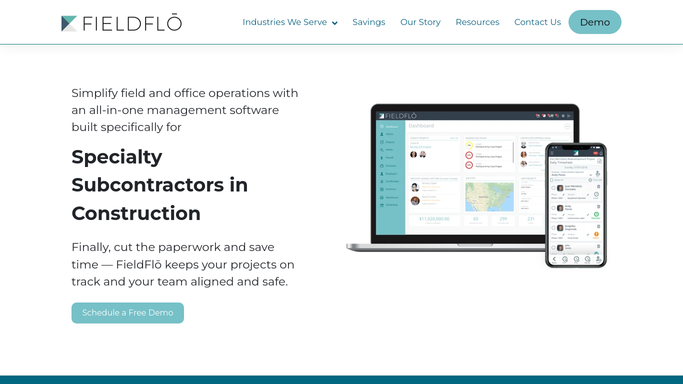
WebRun opens FieldFlo to find jobs inside the NESHAP notification window. - Open FieldFlo and list abatement or demolition jobs with a start date inside your notification lead time
- Capture the site address, owner and operator, scheduled start and end dates, and the estimated regulated asbestos-containing material quantities
- Skip any job that already has a notification marked as filed
Done when Every job needing a NESHAP notification is listed with the details the form requires.
-
2
Google Drive - prefill the NESHAP notification draft
google.com How to Automate Google Drive

WebRun prefills the NESHAP notification draft in Google Drive. - Open your NESHAP notification template stored in Google Drive
- Fill in the site, owner and operator, contractor, dates, and estimated material quantities from the FieldFlo job
- Save it as a clearly named draft in the job's Google Drive folder and leave any fields you cannot source blank for a human to complete
Done when A prefilled NESHAP notification draft is saved in Google Drive for each due job.
-
3
Gmail - draft the filing cover note for review
gmail.com How to Automate Gmail

WebRun drafts the filing cover note in Gmail and leaves it unsent. - Draft a Gmail cover note to your compliance lead summarizing the job and the due date
- Attach or link the prefilled notification draft from Google Drive
- Leave the email unsent as a draft. Do not file or submit the notification to any agency
Done when A Gmail draft with the prefilled notification linked is waiting for your compliance lead, unsent.
How is each run configured?
Secure by default
Connect once, stays signed in
WebRun signs in once and keeps each session in a persistent environment, so every run picks up right where it left off.
Every action is checked against this policy before it runs.
Questions, answered
Will WebRun file the NESHAP notification with the agency on its own?
No. WebRun only prepares a prefilled draft in Google Drive and an unsent Gmail cover note. Your compliance lead reviews every field and files the notification with the agency. Nothing is submitted automatically.
How does it know when a notification is due?
It reads each job's scheduled start date in FieldFlo and flags jobs whose start falls inside the notification lead time you configure, so drafts are ready well before the deadline.
What if some form fields are not in FieldFlo?
WebRun fills every field it can source from the job record and leaves the rest blank, calling them out in the Gmail cover note so your compliance lead knows exactly what to complete before filing.
Related templates
Put this on autopilot.
Turn it on in minutes - or have our team set it up for you.