How to Automate EXEMPTAX
EXEMPTAX automates certificate collection itself. CertDash walks a customer through a guided flow instead of a blank form, validation rules catch bad entries at intake, and the audit risk dashboard surfaces what is missing or expiring. Reading orders against that file is the outside work an agent like WebRun handles.
 Written by
Nikhil Bhatt
Automation strategist
Written by
Nikhil Bhatt
Automation strategist
 Reviewed by
Sofia Marchetti
Marketing operations
Reviewed by
Sofia Marchetti
Marketing operations
Every tax-free sale has a document behind it
Somewhere in every distributor, manufacturer and wholesaler is a filing cabinet, real or otherwise, holding the certificates that explain why certain customers were not charged tax.
EXEMPTAX is that cabinet, run as software. Customers complete certificates through CertDash, a guided flow that walks them through the questions rather than handing them a blank state form to puzzle out alone. Customers who will only deal in paper get a printed route with USPS handling built in. There is a Managed Services option for companies that would rather hand the whole job over.
It connects to the systems where the selling actually happens: NetSuite, Shopify, BigCommerce, Chargebee, Stripe and QuickBooks Online.
The people who live in it are tax and finance staff, plus whoever in customer service ends up doing the asking. The work is unglamorous and never finished, because customers keep arriving, certificates expire on their own schedule, and the file only earns its keep when it is complete.
Collecting a certificate means asking a customer twice
At least twice. A new wholesale customer places an order, expects not to be charged tax, and the certificate is coming. It does not come. Someone asks again. It arrives with the signature block empty, or with an identifier that does not match the state it was issued for, so someone asks a third time.
Multiply that across a customer base and the work never stops. There is the certificate that lapsed in March and went unnoticed because it had been quietly fine for two years. There is the customer buying in four states with one document on file. There is the salesperson who told them not to worry about it.
And there is the tracking. A spreadsheet of who was asked, when, what came back and what is still open, kept by hand alongside the actual system, because the actual system does not know what shipped tax-free last Tuesday.
The dashboard grades the certificates it already holds
EXEMPTAX handles the collection problem properly, which is more than most companies manage on their own.
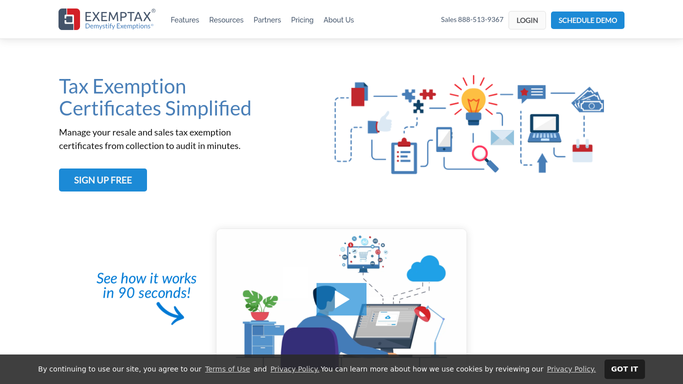
CertDash turns a blank form into a guided questionnaire, which removes the single biggest reason certificates come back unusable. Validation rules run across the certificates being processed, so missing fields and bad identifiers get caught at intake rather than at the worst moment. Certificate verification is built in. The audit risk dashboard shows which certificates are invalid, missing or expiring soon, so the queue is visible instead of remembered. Mass email and USPS campaigns push requests out at scale, on paper where that is what a customer will answer.
What it grades, though, is its own file. The dashboard is a picture of the certificates EXEMPTAX holds and the customers it has been told about.
The order that went out tax-free on Friday is in the store or the ERP. Whether the customer replied is in a mailbox. Whether the entity named on the certificate is still the entity buying is nowhere at all. The file can be immaculate and still not match the week's sales.
Exempt orders and the certificate file can be read together
Those two lists never sit side by side, and almost everything useful comes from putting them there.
Last week's tax-free orders in Shopify or the ERP, read against the certificate file, so the shipment that went out with nothing behind it is named while the invoice is fresh and the customer still remembers the conversation.
The certificates coming up for expiry, turned into a queued request each, with the right state's flow chosen and a note drafted to the customer, weeks ahead of the date rather than a month after it. The ones that came back with a blank field or a mismatched identifier, surfaced for a person to look at rather than filed and forgotten. A new exempt customer created on Monday getting their request on Monday, not at year end when somebody finally runs a report.
And underneath it, a plain tracker: who was asked, when, what came back, what is still open, per customer and per state, current without anyone maintaining it.
Requests go out only after somebody reads them
Your tax team should be looking at the certificates that came back wrong, not compiling the list of who to ask.
WebRun is an AI agent that drives a real Chrome browser, signed in as you. It opens EXEMPTAX, the store or the ERP and the mailbox, reads what each one holds, and hands back the comparison: the orders with no certificate behind them, the ones expiring, the ones that came back incomplete.
Nothing reaches a customer unread. A request is drafted and waits. A certificate is never marked valid, rejected or filed by an agent. Only the looking happens on a schedule, in your own environment, on a list of sites you name, and you can watch a run and stop it.
The cards below are the usual starting points.
Questions people ask
Our customers must never get an unreviewed request. Is that enforced?
Yes. Every message to a customer is drafted and held for a person, whether it is a first request, a renewal or a follow-up. WebRun assembles the list and writes the note, then stops. Sending is always a deliberate human action.
Can an agent decide whether a certificate is valid?
No, and it should not. WebRun flags a certificate with a blank field, a mismatched identifier or a passed expiry date and puts it in front of your tax team. Accepting, rejecting or filing one is a qualified judgement that stays with a person.
Does this work if our orders are not in a connected system?
Yes. WebRun signs into whatever order system you actually use, connected or not, and reads the exempt sales off the screen the way a person would. It then compares them against EXEMPTAX. No connector, export or developer work is needed on either side.
10 ready-made EXEMPTAX workflows
Each one names the apps it touches and the exact steps it takes. Open one to read what it will do, then turn it on.


 Shopify›
 Shopify›Shopify›
Want one of these running on your own EXEMPTAX?
Show WebRun the process once and it will run it on schedule, in your own private browser environment.