How to Automate Clio
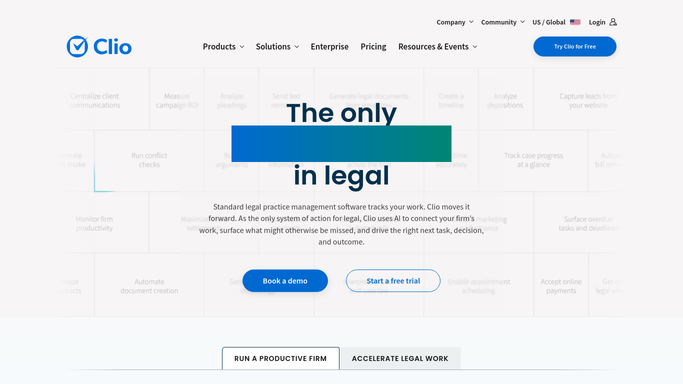
Clio automates everything that hangs off a matter. Automated workflows assign task lists and generate documents as a matter changes stage, Clio Draft builds documents from matter data, and trust account management logs every transaction and warns when a client's funds run low. Court, bank and registry checks stay manual.
 Written by
Nora Whitfield
Editorial lead
Written by
Nora Whitfield
Editorial lead
 Reviewed by
Samuel Adeyemi
Integrations writer
Reviewed by
Samuel Adeyemi
Integrations writer
Every hour a firm bills is attached to a matter in Clio
Clio is practice management software for law firms, from a solo practitioner to a mid-sized firm, and the matter is the unit everything hangs from. The client, the file, the documents, the time entries, the invoices and the client's own money held in trust all sit against a matter, and Clio Manage is where the firm's live work happens. Clio Grow handles the enquiry before a matter exists.
One part of that file is unlike anything in ordinary business software. A law firm holds money that is not its own, and the rules governing how that money is recorded, reconciled and moved are set by a regulator with the power to end a career.
So the trust ledger in Clio is not bookkeeping. It is a compliance record that somebody may one day be asked to produce.
The billable hour is not where the day goes
Ask a litigator what actually filled last Tuesday and very little of the answer involves practising law.
It was checking the court's docket on four matters, because nothing tells you when the other side files something. It was working out whether the document filed on Monday was accepted by the clerk or bounced back over a formatting rule. It was chasing a client for the two documents outstanding since the engagement letter went out. It was a conflict check against a name that came in yesterday. It was reconciling what the bank says is in the trust account against what the ledger says, line by line, because the two have to agree exactly.
None of that is difficult and none of it can be skipped. It is also the first thing that slides in a busy week, and in this profession the things that slide have deadlines and regulators behind them.
Clio automates what starts from a matter it already holds
The firm-side automation is genuinely good, and a firm should be using all of it before adding anything.
Trust account management keeps an automated log of every trust transaction as funds are applied to invoices, transferred to the operating account, disbursed or refunded, and evergreen trust management raises an alert when a client's available funds fall below a threshold you set. Reconciliation happens in Clio, with built-in reports including ones written for specific jurisdictions. Automated workflows in Clio Manage assign task lists, generate documents and apply matter templates when a matter moves from one stage to the next. Clio Draft pulls client and matter details through and builds the document, then collects the signature.
Every one of those begins with something Clio holds: a matter, a stage, a contact, a ledger entry.
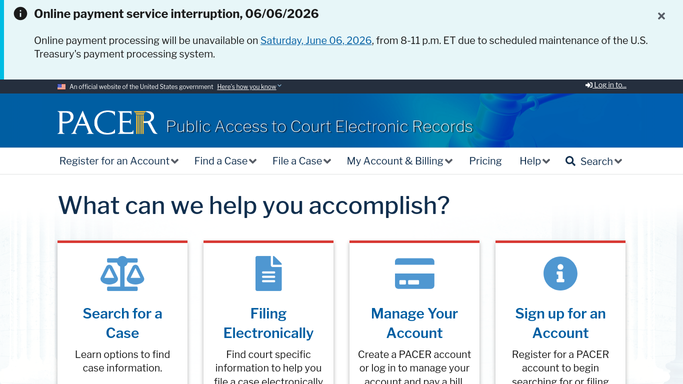
The court's docket is not something Clio holds. Neither is the clerk's rejection notice, the bank's own record of the trust account, the county recorder's confirmation that a deed was registered, or a corporate registry's acceptance of an annual filing. Those systems publish to a person with a login and to nobody else.
A court sets the deadline and tells nobody in the firm
The court publishes every deadline it sets, the same day it sets it. The whole gap is between that publication and somebody in the firm reading it.
The docket read for every open matter before anyone arrives, so a motion filed at four on Thursday afternoon is on the responsible lawyer's list on Friday rather than the week the response is due. Filings followed all the way to their outcome, so a rejection by the clerk is raised the same day, because a rejected filing is not a filing and the deadline did not pause for it.
The trust balance the bank shows, set beside the balance Clio shows, every morning, so a difference is a question that day instead of a discovery at month end. Matters where the retainer will not cover the work already in progress, listed before the work is done. The recorder's office confirming that the deed actually registered. Documents outstanding from clients, gathered into one chase list with how long each has been waiting.
The boundary here is drawn by regulation, not by preference. Reading and comparing can run unattended. No money moves, nothing is filed with a court, and nothing reaches a client except through a lawyer who has read it.
Money in a trust account moves when a person says so
Reading a bank balance and setting it next to a ledger balance is clerical work with regulated consequences behind it. The reading can be handed over. The signing off cannot be, and should not be.
WebRun is an AI agent that works a real Chrome browser, signed in as your firm is. It opens Clio alongside the court's system, the bank and the registries, reads what each one shows, and brings back a list: what was filed, what was rejected, what does not reconcile, which retainers are short.
It runs on your schedule in your own private environment, sessions are not shared between tools, and a workflow can be locked to an explicit list of domains. You can watch a run and stop it at any point.
The workflows below are already built, and each one names what it opens.
Questions people ask
Will it ever move money between trust and operating?
No, and that is deliberate. Trust accounting is regulated, and every transfer, disbursement and reconciliation sign-off is a person's act. It reads the bank's balance and the Clio ledger, sets them side by side, and tells you when they disagree. The transaction stays yours.
Can it file something with a court on our behalf?
No. It can tell you whether what you filed was accepted, rejected or still sitting with the clerk, and it can watch a docket for new activity. Filing carries a deadline and a signature, so it stays with the lawyer.
Is client confidentiality a problem here?
It sees what the person signing in sees, sessions stay in your own private environment and are not shared with other tools, and a workflow can be locked to a named list of sites. You choose which screens it opens, and you can watch a run and stop it.
15 ready-made Clio workflows
Each one names the apps it touches and the exact steps it takes. Open one to read what it will do, then turn it on.





Want one of these running on your own Clio?
Show WebRun the process once and it will run it on schedule, in your own private browser environment.