Check who can still see your data room documents
Every Monday, WebRun opens Ansarada, walks every user group and the folders each one can open, compares it against who is still in the process, writes the access map into Notion, and posts the deal team a Slack list of access that looks wider than intended.
- No credit card
- Under $0.01 per run
- Cancel anytime
How do I review who still has access to my data room?
WebRun reviews data room access every Monday. It opens Ansarada, maps every user group to the folders it can open, checks the activity log for users who have gone quiet, writes the map into Notion, and posts the deal team a Slack shortlist of access to remove.
- Bidders who dropped out are spotted while they still hold access
- A dated access map builds up in Notion for the record
- Folders opened wider than intended are named every Monday
Built for deal teams · corporate finance advisers · M&A lawyers · CFOs
What does WebRun do on every run?
The exact actions WebRun takes, in order - in plain language, so you can adjust anything.
-
WebRun signs in and gets to work
Opens
www.ansarada.comin a real browser with your saved login - no setup, no API keys. -
1
Ansarada - audit groups and folder access
ansarada.com
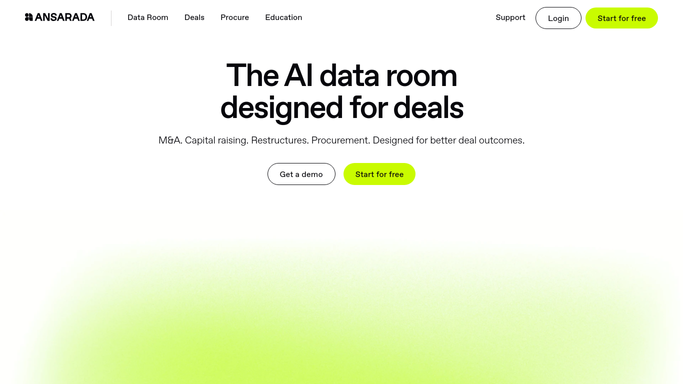
WebRun opens Ansarada to audit groups and folder access. - Open Ansarada and list every user group with its members
- Record which folders and documents each group can open, and at what permission level
- Cross-check the activity log for users who have not opened the room in weeks
- Flag groups holding access to sensitive folders and any user who should have been removed
Done when Every group has a recorded folder permission list and a last activity date.
-
2
Notion - write the access map
notion.so How to Automate Notion

WebRun opens Notion to write the access map. - Write this week's access map into Notion: group, members, folders, permission level
- Mark what changed since last week's map, both additions and removals
- Keep the earlier weeks so the review history is defensible later
Done when Notion holds a dated access map with the changes since last week marked.
-
3
Slack - flag access to remove
slack.com How to Automate Slack

WebRun opens Slack to flag access to remove. - Post the deal team a short Slack list of access that looks wrong
- Lead with users who are inactive but still hold access to sensitive folders
- Include the folder and permission level so the decision is easy to make
- Leave every change to a person. WebRun never edits a permission or removes a user
Done when The deal team has this week's remove-access shortlist in Slack.
How is each run configured?
Secure by default
Connect once, stays signed in
WebRun signs in once and keeps each session in a persistent environment, so every run picks up right where it left off.
Every action is checked against this policy before it runs.
Questions, answered
Will it remove a user or change a permission?
No. WebRun only reads and reports the access map. Removing a bidder or narrowing a folder permission is done by the deal team, so nobody loses access by accident mid-process.
How does it spot access that should be gone?
It compares each group's folder permissions against the activity log, flagging users who have not opened the room in weeks while still holding access to sensitive folders.
Does the document content get copied anywhere?
No. WebRun records group names, member names, folder names, and permission levels. No document is opened, downloaded, or copied into Notion.
Related templates
Put this on autopilot.
Turn it on in minutes - or have our team set it up for you.