Rebook your stay when the price drops
Every morning, WebRun signs in to Agoda, looks up each upcoming booking, rechecks the current rate for the same room and dates, drafts a rebooking note in Gmail when it is cheaper, and posts the saving to Slack next to the cancellation terms so the decision is safe to make.
- No credit card
- Under $0.01 per run
- Cancel anytime
How do I check if my hotel booking got cheaper after I booked?
WebRun rechecks your upcoming Agoda bookings every morning, searching the same property, room type, and dates to compare today's rate against the price you paid. It posts any saving to Slack beside the free cancellation deadline and drafts a rebooking note in Gmail, so a cheaper rate is caught while cancelling is still free.
- Price drops are caught while cancellation is still free
- Every saving arrives beside its cancellation deadline
- The comparison names the exact room and rate plan, so no downgrade slips through
Built for frequent travellers · office managers · travel bookers · small businesses
What does WebRun do on every run?
The exact actions WebRun takes, in order - in plain language, so you can adjust anything.
-
WebRun signs in and gets to work
Opens
www.agoda.com/account/signin.htmlin a real browser with your saved login - no setup, no API keys. -
1
Agoda - recheck the live room rate
agoda.com
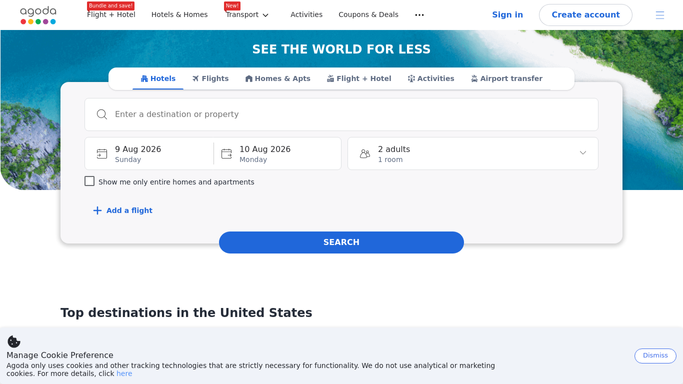
WebRun opens Agoda to recheck the live room rate. - Sign in to Agoda and list your upcoming bookings
- For each, note the property, room type, dates, guests, and the price paid
- Read the cancellation policy and the date free cancellation ends
- Search the same property, room type, and dates today and record the current rate
Done when Every upcoming booking has a paid price, a live price, and its cancellation terms.
-
2
Gmail - draft the rebooking note
gmail.com How to Automate Gmail

WebRun opens Gmail to draft the rebooking note. - Draft a rebooking note for each booking where the live rate is meaningfully lower
- Set out the old price, the new price, the saving, and the cancellation deadline
- Include the exact room and rate plan compared, so nobody rebooks a different room by mistake
- Leave every note as an unsent draft. WebRun never cancels, rebooks, or pays for anything
Done when A rebooking note is drafted for every booking now cheaper.
-
3
Slack - post the saving and terms
slack.com How to Automate Slack

WebRun opens Slack to post the saving and terms. - Post today's rechecks to your travel channel, largest saving first
- Show paid price, live price, saving, and the free cancellation deadline side by side
- Flag bookings where the free cancellation window closes within three days
- Stay silent on bookings where nothing changed, so a post always means something
Done when Any available saving is posted with its cancellation terms in Slack.
How is each run configured?
Secure by default
Connect once, stays signed in
WebRun signs in once and keeps each session in a persistent environment, so every run picks up right where it left off.
Every action is checked against this policy before it runs.
Questions, answered
Will it cancel or rebook my stay?
No. WebRun never cancels a booking, makes a new one, or enters payment details. It reports the saving and the cancellation terms, and you decide whether to rebook yourself.
How do I know the comparison is fair?
It searches the same property, room type, dates, and guest count as your existing booking, and states the rate plan compared, so a cheaper number is not a smaller room or a stricter policy.
What if free cancellation has already ended?
The booking is shown with its deadline passed and no rebooking note is drafted, because cancelling would cost more than the saving. Deadlines closing within three days are flagged first.
Related templates
Put this on autopilot.
Turn it on in minutes - or have our team set it up for you.