Catch free cancellation deadlines before they pass
Every morning, WebRun signs in to Agoda, reads every upcoming booking with its check-in date, total, and cancellation terms, works out the last date each stay can still be cancelled without charge, keeps a dated Trello card per booking, and WhatsApps you the deadlines falling in the next seven days.
- No credit card
- Under $0.01 per run
- Cancel anytime
How do I keep track of free cancellation deadlines on my hotel bookings?
WebRun watches your Agoda cancellation deadlines. Each morning it reads every upcoming booking with its dates, total, and cancellation terms, dates a Trello card to the last day each stay is free to cancel, and WhatsApps you the deadlines closing within seven days and the amount at risk.
- Cancellation windows are known days before they close
- Every booking sits on a board dated to the decision, not the trip
- Non-refundable stays are labelled so nothing is assumed
Built for frequent travellers · travel managers · executive assistants · small tour operators
What does WebRun do on every run?
The exact actions WebRun takes, in order - in plain language, so you can adjust anything.
-
WebRun signs in and gets to work
Opens
www.agoda.com/account/signin.htmlin a real browser with your saved login - no setup, no API keys. -
1
Agoda - read bookings and cancellation terms
agoda.com
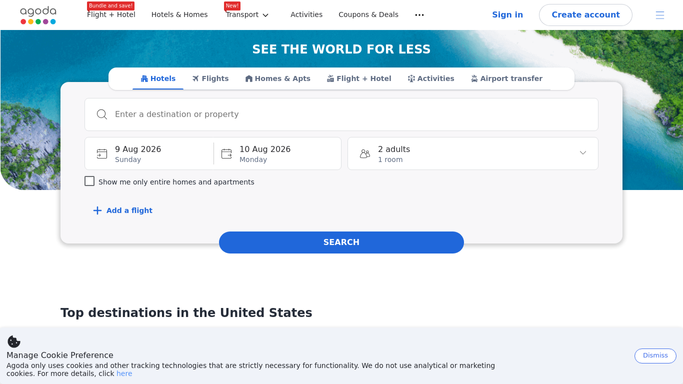
WebRun opens Agoda to read bookings and cancellation terms. - Sign in to Agoda and open your upcoming bookings
- Capture the property, city, check-in and check-out dates, total price, and booking reference for each
- Read the cancellation terms and note the last date the stay can be cancelled without a charge
Done when Every upcoming booking has its dates, total, and free cancellation deadline recorded.
-
2
Trello - keep a dated card per stay
trello.com How to Automate Trello

WebRun opens Trello to keep a dated card per stay. - Open your travel board in Trello and create or update one card per booking
- Set the card due date to the free cancellation deadline, not the check-in date
- Put the property, reference, total, and stay dates in the card description
Done when Every upcoming booking has one card dated to its cancellation deadline.
-
3
WhatsApp - send this week's deadlines
whatsapp.com How to Automate WhatsApp

WebRun opens WhatsApp to send this week's deadlines. - Send a short WhatsApp list of bookings whose free cancellation window closes in the next seven days
- Show the property, the deadline date, and the amount at risk for each
- Leave the decision to you. WebRun never cancels or amends a booking
Done when You have this week's closing cancellation windows on WhatsApp.
How is each run configured?
Secure by default
Connect once, stays signed in
WebRun signs in once and keeps each session in a persistent environment, so every run picks up right where it left off.
Every action is checked against this policy before it runs.
Questions, answered
Can it cancel or change a booking for me?
No. WebRun only reads your bookings and reminds you of the deadline. Cancelling, rebooking, and paying stay with you, so no reservation is ever changed without your own click.
How does it know the free cancellation date?
It reads the cancellation terms shown on each booking in your Agoda account and dates the Trello card to the last day the stay can be cancelled without a charge, so the reminder tracks the real policy.
What about bookings that were never refundable?
They are still carded with their check-in date and clearly marked as non-refundable, so you know at a glance which stays are locked in and which ones you can still change.
Related templates
Put this on autopilot.
Turn it on in minutes - or have our team set it up for you.