See who outside your company can open your files
Every Monday, WebRun opens Zoho WorkDrive, reviews the files and folders shared outside your organisation, notes which links are public, which have no expiry, and which were created in the last week, posts the list to Slack, and sends you a Telegram summary of what changed.
- No credit card
- Under $0.01 per run
- Cancel anytime
How do I audit which files are shared outside my company?
WebRun opens Zoho WorkDrive every Monday and reviews every file and folder shared outside your organisation, noting the permission level, the expiry, and the owner. It posts the public and never-expiring links to Slack and sends you a Telegram summary of what is new, so open shares get reviewed weekly.
- Public and never-expiring links surface every Monday instead of at audit time
- Each flagged link arrives with the owner's name attached
- New external shares are visible within a week of being created
Built for IT admins · operations teams · compliance officers · agencies handling client files
What does WebRun do on every run?
The exact actions WebRun takes, in order - in plain language, so you can adjust anything.
-
WebRun signs in and gets to work
Opens
workdrive.zoho.comin a real browser with your saved login - no setup, no API keys. -
1
Zoho WorkDrive - review external shares
workdrive.zoho.com
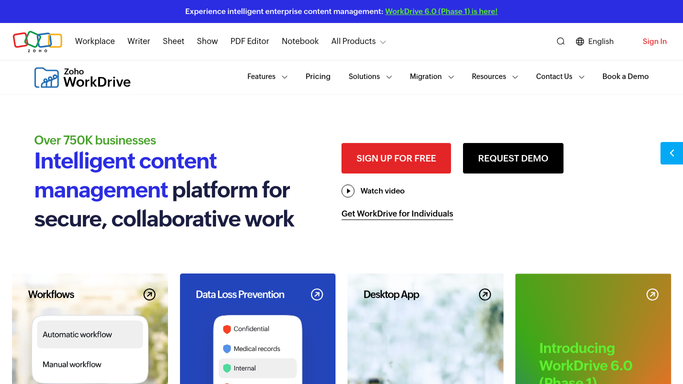
WebRun opens Zoho WorkDrive to review external shares. - Open Zoho WorkDrive and go to your shared links and external shares view
- List every file and folder shared outside your organisation
- Note the link type, the permission level, the expiry date, and who created it
- Flag links that are public, have edit rights, or have no expiry set
Done when Every external share has been listed with its permission and expiry.
-
2
Slack - post the risky links
slack.com How to Automate Slack

WebRun opens Slack to post the risky links. - Post the flagged links to your IT or operations Slack channel
- Put public links with edit rights at the top
- Name the file owner next to each link so it is clear who to ask
- Leave the decision to revoke with the owner. WebRun does not touch the link
Done when The team has this week's flagged share list in Slack.
-
3
Telegram - summarise what changed
telegram.org How to Automate Telegram

WebRun opens Telegram to summarise what changed. - Send you a short Telegram summary: total external shares, how many are flagged, and how many are new this week
- Call out any link created in the last seven days
- Note anything that was on last week's list and is still open
Done when You have this week's external sharing summary on Telegram.
How is each run configured?
Secure by default
Connect once, stays signed in
WebRun signs in once and keeps each session in a persistent environment, so every run picks up right where it left off.
Every action is checked against this policy before it runs.
Questions, answered
Will it revoke share links on its own?
No. WebRun reads your Zoho WorkDrive sharing settings and reports them. It never removes a link, changes a permission, or deletes a file. Revoking stays a human decision by the file owner.
Which links get flagged?
Public links, links with edit rights, and links with no expiry date are flagged by default. You can add your own conditions, such as any share on a named client folder, when you turn the template on.
Does it read the contents of the shared files?
No. WebRun only reads sharing metadata: the file name, the permission level, the expiry, and the owner. It never opens or copies file contents.
Related templates
Put this on autopilot.
Turn it on in minutes - or have our team set it up for you.