Flag suspicious Zoho POS stock adjustments before they add up
Every night, WebRun opens Zoho POS, pulls every manual stock adjustment logged that day, flags any adjustment above a set quantity or value, or any product adjusted more than once in the same day, logs the full audit trail to Google Sheets with the staff member who made each change, and sends a same night WhatsApp alert to the owner if anything crosses the severe threshold.
- No credit card
- Under $0.01 per run
- Cancel anytime
How do I catch suspicious Zoho POS stock adjustments before they add up?
WebRun pulls every manual stock adjustment from Zoho POS each night, flags any change above your set threshold, any product adjusted twice in a day, or any entry missing a reason code. It logs the full trail to Google Sheets and sends a same night WhatsApp alert for anything severe, so shrinkage surfaces early.
- Unusual stock adjustments are flagged the same night, not discovered at year end stocktake
- Severe adjustments trigger an immediate WhatsApp alert instead of waiting for a report review
- Every flagged entry is tied to the staff member who made it
Built for retail store owners · loss prevention staff · Zakya POS users · multi-outlet retailers
What does WebRun do on every run?
The exact actions WebRun takes, in order - in plain language, so you can adjust anything.
-
WebRun signs in and gets to work
Opens
www.zoho.com/posin a real browser with your saved login - no setup, no API keys. -
1
Zoho POS - pull the day's stock adjustments
zoho.com How to Automate Zoho POS
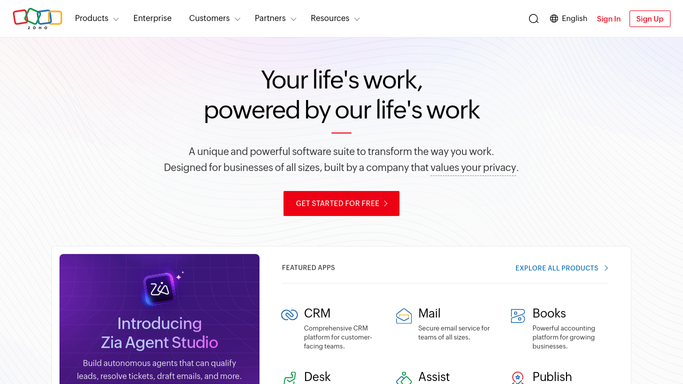
WebRun opens Zoho POS to pull the day's stock adjustments. - Open Zoho POS and pull every manual stock adjustment entry made that day
- Capture the product, quantity change, reason code, and staff member for each adjustment
Done when Every stock adjustment made that day is captured with its reason and staff member.
-
2
Google Sheets - log the audit trail and flag outliers
google.com How to Automate Google Sheets

WebRun opens Google Sheets to log the audit trail and flag outliers. - Append the day's adjustments to the audit log sheet
- Flag any single adjustment above your set quantity or value threshold
- Flag any product adjusted more than once in the same day
- Flag any adjustment logged with no reason code
Done when The audit log is updated for the day with every outlier adjustment flagged.
-
3
WhatsApp - alert the owner to severe flags
whatsapp.com How to Automate WhatsApp

WebRun opens WhatsApp to alert the owner to severe flags. - Check whether any adjustment that day crossed the severe threshold: a large quantity or value change, or one logged with no reason code
- If so, send a same night WhatsApp alert to the owner naming the product, staff member, and the adjustment
Done when The owner has a same night WhatsApp alert for any severe adjustment, or no alert if none crossed the threshold.
How is each run configured?
Secure by default
Connect once, stays signed in
WebRun signs in once and keeps each session in a persistent environment, so every run picks up right where it left off.
Every action is checked against this policy before it runs.
Questions, answered
Does it reverse or block a stock adjustment?
No. It only logs and flags adjustments after the fact for your review. It never blocks staff from making an adjustment in Zoho POS or reverses an entry.
What counts as a flagged adjustment?
Any single change above the quantity or value threshold you set, any product adjusted more than once in a day, or any entry logged without a reason code. All three flags are configurable at setup.
Do I get notified the same night or do I have to check the sheet?
Both. Every adjustment is logged to the sheet nightly, and if any adjustment crosses your severe threshold, WebRun also sends a same night WhatsApp alert naming the product and staff member, so you are not relying on remembering to check.
Related templates
Put this on autopilot.
Turn it on in minutes - or have our team set it up for you.