Route Zoho POS branded mobile store orders to your team instantly
Every hour, WebRun opens Zoho POS, checks for new orders placed through your branded mobile store app, logs each order to Google Sheets with the items, customer, and fulfillment type, and sends a WhatsApp alert to the fulfillment staff so nothing sits unpicked between in store rushes.
- No credit card
- Under $0.01 per run
- Cancel anytime
How do I route Zoho POS mobile store orders to staff for fulfillment?
WebRun checks Zoho POS every hour for new orders placed through your branded mobile store, logs each one to Google Sheets with the items, customer, and fulfillment type, and sends a WhatsApp alert to your fulfillment staff. Orders queue up and get picked promptly, with nothing missed between the busy moments at the till.
- Mobile store orders reach fulfillment staff within the hour, every hour of trading
- No order sits unpicked because the queue sheet tracks status per order
- Staff get a WhatsApp alert instead of having to check the app themselves
Built for retail store owners · fulfillment staff · Zakya POS users · omnichannel retailers
What does WebRun do on every run?
The exact actions WebRun takes, in order - in plain language, so you can adjust anything.
-
WebRun signs in and gets to work
Opens
www.zoho.com/posin a real browser with your saved login - no setup, no API keys. -
1
Zoho POS - check for new mobile store orders
zoho.com How to Automate Zoho POS
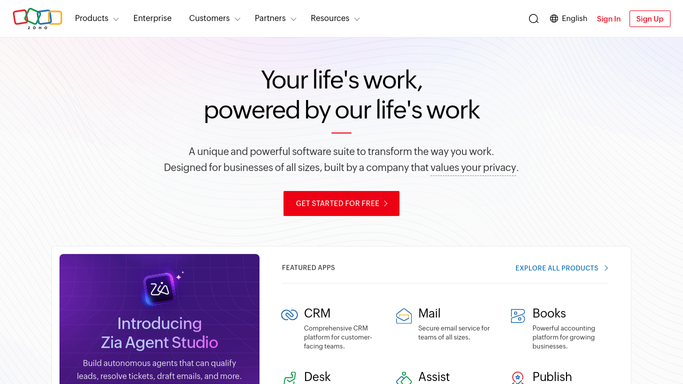
WebRun opens Zoho POS to check for new mobile store orders. - Open Zoho POS and check the branded mobile store for orders placed since the last run
- Capture the order number, items, customer, and requested fulfillment type for each
- Skip any order already logged
Done when Every new mobile store order since the last run is captured with its details.
-
2
Google Sheets - log each order to the fulfillment queue
google.com How to Automate Google Sheets

WebRun opens Google Sheets to log each order to the fulfillment queue. - Append each new order to the fulfillment queue sheet with items and fulfillment type
- Mark the order status as awaiting pick
Done when The fulfillment queue sheet reflects every new order awaiting pick.
-
3
WhatsApp - alert staff to pick and pack
whatsapp.com How to Automate WhatsApp

WebRun opens WhatsApp to alert staff to pick and pack. - Send a WhatsApp alert to the fulfillment staff group for each new order or batch of orders
- Include the order number and item count so staff know what to pull
Done when Staff have a WhatsApp alert for every new order ready to pick and pack.
How is each run configured?
Secure by default
Connect once, stays signed in
WebRun signs in once and keeps each session in a persistent environment, so every run picks up right where it left off.
Every action is checked against this policy before it runs.
Questions, answered
Does it confirm the order to the customer?
No. This workflow only routes the order to your staff for fulfillment. Any order confirmation or delivery update sent to the customer stays inside Zoho POS's own customer messaging, not this workflow.
Will duplicate alerts go out if I check the store manually?
No. Each order is logged once in the fulfillment queue sheet, so an order you have already seen and picked will not trigger a repeat alert.
Can it run more often than every hour?
Yes. The check frequency is configurable at setup, down to a few minutes, if your mobile store gets orders that need faster routing.
Related templates
Put this on autopilot.
Turn it on in minutes - or have our team set it up for you.