Renew your standing GTT triggers before they lapse
Every Monday, WebRun opens Zerodha, reads the GTT order book, finds the triggers whose validity runs out this month, checks each one against your holdings, logs them to a Notion database, and emails you the list to renew.
- No credit card
- Under $0.01 per run
- Cancel anytime
How do I track Zerodha GTT triggers before they expire?
WebRun opens Zerodha every Monday and reads your GTT order book for triggers whose validity runs out within 30 days. It logs each one to Notion with its instrument, trigger price, and the holding it covers, then emails you the renewal list, so no stop loss quietly disappears.
- Expiring stop-loss triggers surface a full month before they lapse
- Every trigger is matched to the holding it protects
- WebRun reads only: it never places or cancels an order
Built for retail investors · long-term equity holders · swing traders · portfolio managers
What does WebRun do on every run?
The exact actions WebRun takes, in order - in plain language, so you can adjust anything.
-
WebRun signs in and gets to work
Opens
kite.zerodha.comin a real browser with your saved login - no setup, no API keys. -
1
Zerodha - read the GTT order book
zerodha.com
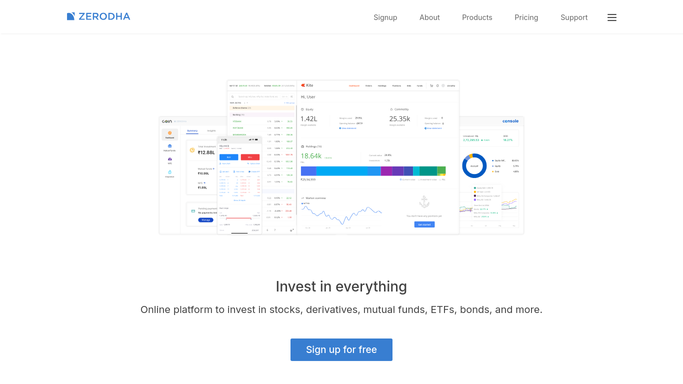
WebRun opens Zerodha to read the GTT order book. - Open Zerodha and go to the GTT order book
- List every active trigger with its instrument, trigger price, quantity, and validity date
- Keep the triggers whose validity ends within the next 30 days
- Cross-check each one against your holdings so you can see which position it protects
Done when Every GTT trigger expiring this month is listed with its price and instrument.
-
2
Notion - log the expiring triggers
notion.so How to Automate Notion

WebRun opens Notion to log the expiring triggers. - Open your GTT tracker database in Notion and add this week's run
- Write one row per expiring trigger: instrument, trigger price, quantity, validity date, and the holding behind it
- Sort the rows so the soonest expiry sits at the top
- Mark any trigger that already lapsed since the last run
Done when The Notion tracker holds every expiring trigger, soonest first.
-
3
Gmail - email you the renewal list
gmail.com How to Automate Gmail

WebRun opens Gmail to email you the renewal list. - Draft a short email to yourself listing the triggers expiring this month
- Put the stop-loss triggers on open positions first, then the target orders
- Link the Notion tracker so the full detail is one click away
- Send the summary to your own inbox only
Done when Monday's renewal list is in your inbox.
How is each run configured?
Secure by default
Connect once, stays signed in
WebRun signs in once and keeps each session in a persistent environment, so every run picks up right where it left off.
Every action is checked against this policy before it runs.
Questions, answered
Will it place, modify, or cancel any orders?
No. WebRun only reads the GTT order book and reports what is expiring. It never places, modifies, or cancels an order, and it never renews a trigger for you.
Who receives the email?
Only you. The summary goes to your own inbox from your own Gmail account, and no broker, advisor, or third party is copied on it.
What if a trigger already lapsed?
It is flagged separately at the top of the Notion tracker as already expired, so you can decide whether to place a fresh trigger for that position.
Related templates
Put this on autopilot.
Turn it on in minutes - or have our team set it up for you.