Never leave a Zalo customer waiting
Every hour during business hours, WebRun opens Zalo, scans your customer conversations for messages that came in and never got a reply, sends the team a reply-now list on WhatsApp with the oldest first, and drafts a Gmail handover email for anything still unanswered at the end of the day.
- No credit card
- Under $0.01 per run
- Cancel anytime
How do I make sure no customer message goes unanswered?
WebRun checks Zalo every hour during business hours and finds the customer conversations where the last message was theirs. It sends the team a reply-now list on WhatsApp, oldest first, and drafts a Gmail handover of anything still open at close, so no customer waits unnoticed.
- Customer messages get answered inside your service window
- The team sees who is waiting without opening every chat
- Nothing open at close is lost between shifts
Built for retail and ecommerce teams · customer support · clinics and salons · small businesses in Vietnam
What does WebRun do on every run?
The exact actions WebRun takes, in order - in plain language, so you can adjust anything.
-
WebRun signs in and gets to work
Opens
chat.zalo.mein a real browser with your saved login - no setup, no API keys. -
1
Zalo - find unanswered customer chats
zalo.me
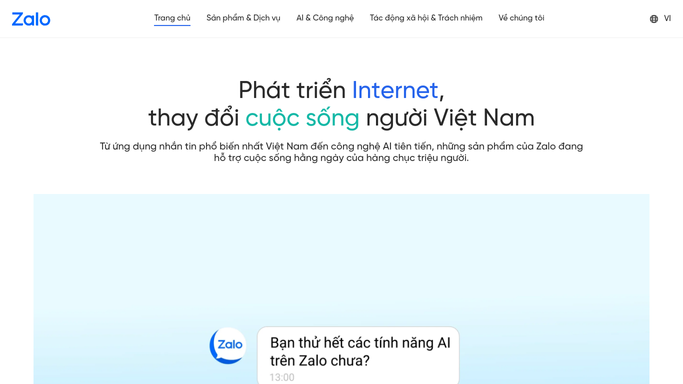
WebRun opens Zalo to find unanswered customer chats. - Open Zalo and go through the conversations you have marked as customer chats
- Find every thread where the last message came from the customer
- Record the contact name, the message, and how long it has waited
- Put anything waiting over your service window, usually two hours, at the top
Done when Every unanswered customer thread has a name and a waiting time.
-
2
WhatsApp - send the reply-now list
whatsapp.com How to Automate WhatsApp

WebRun opens WhatsApp to send the reply-now list. - Send the team group a short reply-now list, oldest waiting first
- Show the contact, a one-line preview, and the minutes waited
- Skip the message entirely when every chat has been answered
- Never reply to the customer inside Zalo. Your team writes the answer
Done when The team has the current reply-now list on WhatsApp.
-
3
Gmail - draft the end of day handover
gmail.com How to Automate Gmail

WebRun opens Gmail to draft the end of day handover. - On the last run of the day, draft a handover email to the next shift
- List every chat still unanswered with the contact and the waiting time
- Add the day's totals: messages received, answered, and still open
- Leave the email as a Gmail draft. A person reviews and sends it
Done when The handover email is drafted and waiting for review in Gmail.
How is each run configured?
Secure by default
Connect once, stays signed in
WebRun signs in once and keeps each session in a persistent environment, so every run picks up right where it left off.
Every action is checked against this policy before it runs.
Questions, answered
Will it reply to customers in Zalo?
No. WebRun never sends a message to a customer. It reads the threads and tells your team who is waiting, so a person writes every reply.
Does the handover email send itself?
No. The end of day summary is left as a Gmail draft. Someone on the team reads it and presses send, so nothing leaves your account unreviewed.
How does it know which chats are customers?
You point WebRun at the conversations or the labelled group that holds customer chats, and it checks only those. Personal threads are left alone.
Related templates
Put this on autopilot.
Turn it on in minutes - or have our team set it up for you.