Turn Zalo booking messages into calendar holds
Every hour, WebRun opens your Zalo Official Account chat, finds new appointment requests from customers, creates a Google Calendar hold for each requested slot, and posts a rundown of today's Zalo-booked appointments to Microsoft Teams so the front desk always has the current schedule.
- No credit card
- Under $0.01 per run
- Cancel anytime
How do I turn Zalo appointment requests into calendar bookings?
WebRun checks your Zalo Official Account chat every hour for new appointment requests, creates a Google Calendar hold for each open slot, and posts a rundown of today's confirmed bookings to Microsoft Teams. Conflicting requests are flagged, not double booked, so the front desk always works from an accurate schedule.
- Zalo booking requests become calendar holds within the hour
- Double bookings get flagged instead of confirmed
- The front desk sees today's schedule without checking Zalo
Built for Clinics and salons using Zalo · service businesses in Vietnam · front desk teams · appointment-based businesses
What does WebRun do on every run?
The exact actions WebRun takes, in order - in plain language, so you can adjust anything.
-
WebRun signs in and gets to work
Opens
chat.zalo.mein a real browser with your saved login - no setup, no API keys. -
1
Zalo - find new appointment requests
zalo.me
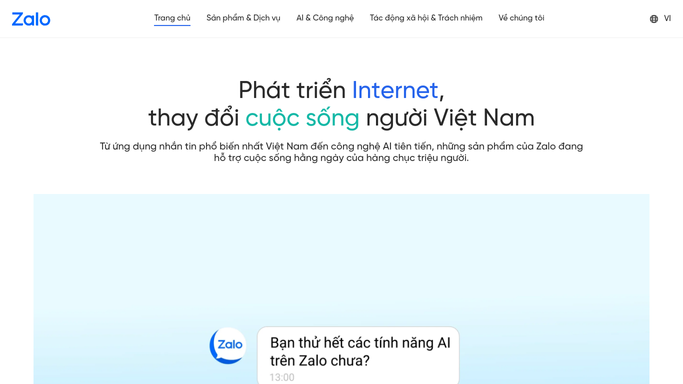
WebRun opens Zalo to find new appointment requests. - Open the Zalo Official Account chat inbox
- Find new messages requesting an appointment or booking
- Capture the customer's name, phone, and requested time
Done when Every new booking request is captured.
-
2
Google Calendar - create a calendar hold
calendar.google.com How to Automate Google Calendar

WebRun opens Google Calendar to create a calendar hold. - Open the shared bookings calendar
- Create a hold for each requested slot that's still open
- Flag any request whose slot is already taken
Done when Every open-slot request has a calendar hold.
-
3
Microsoft Teams - post today's schedule
microsoft.com How to Automate Microsoft Teams

WebRun opens Microsoft Teams to post today's schedule. - Post today's confirmed Zalo bookings to the front-desk channel
- List any conflicting requests that still need a human decision
- Leave conflict resolution and customer replies to the team
Done when The front desk has today's booking rundown in Teams.
How is each run configured?
Secure by default
Connect once, stays signed in
WebRun signs in once and keeps each session in a persistent environment, so every run picks up right where it left off.
Every action is checked against this policy before it runs.
Questions, answered
Does WebRun confirm bookings with the customer on Zalo?
No. It only creates the calendar hold. Confirming or messaging the customer back on Zalo stays with your front desk.
What happens if two customers request the same slot?
WebRun flags the conflict instead of double-booking, and posts it to Microsoft Teams for a human to decide who gets the slot.
How current is the schedule the team sees?
WebRun checks Zalo every hour during business hours, so the Teams rundown reflects bookings requested earlier the same day.
Related templates
Put this on autopilot.
Turn it on in minutes - or have our team set it up for you.