Track failed Workato recipe runs every week
Every Monday, WebRun opens Workato, reads every recipe's job history from the past week, notes any recurring error pattern in Notion, and exports the full list of failed jobs with their errors into Google Sheets.
- No credit card
- Under $0.01 per run
- Cancel anytime
How do I track failed Workato recipe runs over time?
WebRun reads every Workato recipe's job history each Monday, notes any recipe that failed more than once in a Notion runbook, and exports the full list of failed jobs and their errors into Google Sheets. Automation and integration teams see recurring problems called out instead of buried in a week of routine logs.
- A recipe failing repeatedly gets called out, not lost in the log
- A full error history builds up in Sheets for pattern spotting
- The runbook stays current without a manual weekly review
Built for automation engineers · IT operations teams · integration teams
What does WebRun do on every run?
The exact actions WebRun takes, in order - in plain language, so you can adjust anything.
-
WebRun signs in and gets to work
Opens
app.workato.comin a real browser with your saved login - no setup, no API keys. -
1
Workato - read the week's recipe errors
workato.com
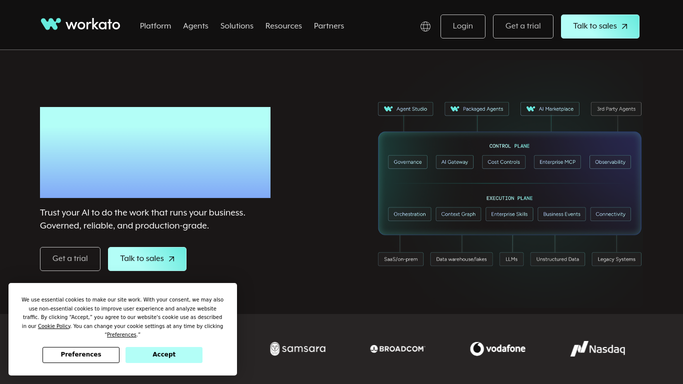
WebRun opens Workato to read the week's recipe errors. - Open Workato and check every recipe's job history for the past week
- Read the error message for every failed job
- Group failures by recipe to spot repeats
Done when This week's recipe errors are read and grouped by recipe.
-
2
Notion - note any recurring pattern
notion.so How to Automate Notion

WebRun opens Notion to note any recurring pattern. - Open the automation runbook page in Notion
- Note any recipe that failed more than once this week and why
- Flag it for a closer look, not just a rerun
Done when Any recurring failure pattern is noted in Notion.
-
3
Google Sheets - export the error list
google.com How to Automate Google Sheets

WebRun opens Google Sheets to export the error list. - Open the error tracking sheet in Google Sheets
- Export every failed job this week with its recipe and error
- Keep the sheet append only so history builds up
Done when This week's failed jobs are exported to the sheet.
How is each run configured?
Secure by default
Connect once, stays signed in
WebRun signs in once and keeps each session in a persistent environment, so every run picks up right where it left off.
Every action is checked against this policy before it runs.
Questions, answered
Does WebRun fix or rerun the failed recipes?
No. It only reads job history and errors from Workato. Fixing a recipe's logic or rerunning a job stays a manual step.
How does it spot a recurring problem?
By grouping this week's failures by recipe. A recipe failing more than once gets flagged in Notion instead of blending into the export.
Can I filter or pivot the exported errors?
Yes. Because it lands as plain rows in Google Sheets, you can filter by recipe, date, or error type yourself.
Related templates
Put this on autopilot.
Turn it on in minutes - or have our team set it up for you.