Draft win-back messages for lapsed patients
Every Monday, WebRun opens PatientNow, finds patients who haven't had a visit, refill, or weigh-in logged in 45 days, logs each lapsed patient with their last known weight and dose to a Google Sheet, and drafts a Mailchimp win-back email offering to help them restart, left unsent for your team to personalize and send.
- No credit card
- Under $0.01 per run
- Cancel anytime
How do I automatically win back lapsed medical weight loss patients?
WebRun checks PatientNow every Monday for patients with no visit, refill, or weigh-in logged in 45 days, logging each one's last known progress to a Google Sheet. It drafts a personalized Mailchimp win-back email for each, referencing their prior results and offering to help them restart, left unsent for your team to review and send.
- Lapsed patients hear from the practice before they forget their progress
- Team sends a personalized win-back draft in seconds instead of starting from scratch
- Highest performing lapsed patients surface first, where a restart is most likely
Built for medical weight loss clinics · GLP-1 clinics · obesity medicine providers · patient retention teams
What does WebRun do on every run?
The exact actions WebRun takes, in order - in plain language, so you can adjust anything.
-
WebRun signs in and gets to work
Opens
app.patientnow.comin a real browser with your saved login - no setup, no API keys. -
1
PatientNow - find patients who have gone quiet
patientnow.com How to Automate PatientNow
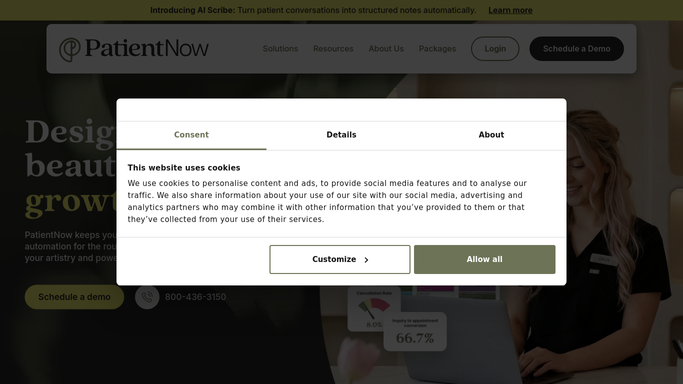
WebRun opens PatientNow to find patients who have gone quiet. - Open PatientNow and pull patients with no visit, refill, or weigh-in logged in the past 45 days
- Capture each patient's last known weight, percent lost before they went quiet, and last dose
- Exclude anyone already marked as discontinued, transferred, or completed the program
- Note the reason on file for their last visit, if one was logged
Done when Every patient inactive for 45 days or more is listed with their last known progress and dose.
-
2
Google Sheets - log the lapsed patient list
google.com How to Automate Google Sheets

WebRun opens Google Sheets to log the lapsed patient list. - Open the lapsed patient tracker sheet
- Append a row for each newly lapsed patient with days inactive, last weight, and percent lost
- Mark whether a win-back email has already been drafted or sent for that patient
- Sort by percent lost so your highest performing lapsed patients surface first
Done when The lapsed patient tracker reflects everyone inactive 45 days or more, sorted by their prior progress.
-
3
Mailchimp - draft the win-back email
mailchimp.com How to Automate Mailchimp

WebRun opens Mailchimp to draft the win-back email. - Draft a warm win-back email for each newly lapsed patient referencing their prior progress and offering to help them restart at their last dose or a fresh consultation
- Avoid any clinical claims. Keep the tone personal and inviting, not salesy
- Save every email as an unsent Mailchimp campaign draft. Do not send anything to a patient automatically
Done when An unsent Mailchimp draft exists for every newly lapsed patient this week.
How is each run configured?
Secure by default
Connect once, stays signed in
WebRun signs in once and keeps each session in a persistent environment, so every run picks up right where it left off.
Every action is checked against this policy before it runs.
Questions, answered
Will lapsed patients get an email without my team's approval?
No. Every win-back email is saved as an unsent Mailchimp draft. Your team reviews, personalizes, and sends it; WebRun never emails a patient automatically.
How is a patient marked as lapsed?
No visit, refill, or weigh-in logged in PatientNow for 45 days. You can tell WebRun to use a shorter or longer window to match your protocol.
What if a patient already came back on their own?
WebRun reads live visit and refill activity in PatientNow each Monday, so anyone who returned is dropped from that week's lapsed list automatically.
Related templates
Put this on autopilot.
Turn it on in minutes - or have our team set it up for you.