Track ShipHero labor productivity with a weekly manager report
Every Monday, WebRun opens ShipHero, pulls the prior week's picker and packer productivity metrics by associate and shift, calculates units per hour, and writes the report to Google Sheets so managers have a full weekly view ready for their team review meeting.
- No credit card
- Under $0.01 per run
- Cancel anytime
How do I automatically generate a weekly labor productivity report from ShipHero?
WebRun pulls ShipHero picker and packer efficiency data every Monday morning, calculates units per hour by associate and role for the prior week, and appends a formatted tab to a Google Sheet. Managers open one spreadsheet to review team productivity trends, with above- and below-target performers highlighted.
- Weekly UPH by associate is ready before the Monday management meeting
- Above- and below-target performers are highlighted automatically
- Managers spend zero time manually pulling and formatting ShipHero reports
Built for warehouse managers · 3PL operations directors · HR and workforce planners · ShipHero users
What does WebRun do on every run?
The exact actions WebRun takes, in order - in plain language, so you can adjust anything.
-
WebRun signs in and gets to work
Opens
app.shiphero.comin a real browser with your saved login - no setup, no API keys. -
1
ShipHero - pull prior week picker and packer productivity data
shiphero.com How to Automate ShipHero
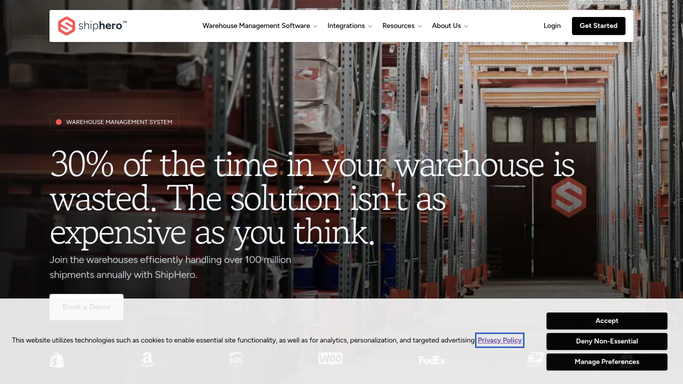
WebRun opens ShipHero to pull prior week picker and packer productivity data. - Open ShipHero and navigate to the Picker/Packer Efficiency report
- Set the date range to the prior calendar week (Monday to Sunday)
- Export units picked, units packed, hours worked, and errors by associate
- Calculate units per hour for picking and packing separately
Done when All associates' units-per-hour figures for the prior week are captured by role and shift.
-
2
Google Sheets - write weekly labor productivity report
google.com How to Automate Google Sheets

WebRun opens Google Sheets to write weekly labor productivity report. - Open the Labor Productivity Google Sheet
- Append a new weekly tab labeled with the week's date range
- Write each associate's metrics: hours, units, UPH, error count, and accuracy rate
- Apply conditional formatting to highlight associates above and below the UPH target
Done when The new weekly tab is populated and color-coded for quick manager review.
How is each run configured?
Secure by default
Connect once, stays signed in
WebRun signs in once and keeps each session in a persistent environment, so every run picks up right where it left off.
Every action is checked against this policy before it runs.
Questions, answered
Does it share individual performance data with the associates themselves?
No. WebRun writes the report to a manager-controlled Google Sheet. Sharing with individual workers is a separate step that managers take after reviewing the data.
Can I set different UPH targets for picking and packing?
Yes. Set your picking UPH target and packing UPH target during setup and WebRun will color-code each role against the correct benchmark in the Sheet.
What if an associate worked both picking and packing in the same week?
WebRun creates separate rows for each role, so you see picking UPH and packing UPH independently for associates who switched tasks during the week.
Related templates
Put this on autopilot.
Turn it on in minutes - or have our team set it up for you.