Turn your team's Wahoo rides into a weekly scorecard
Every Monday, WebRun opens Wahoo Fitness, checks each rider's completed rides and key metrics from the prior week, logs a summary row to Google Sheets for every rider, and emails the coach a scorecard comparing distance, time, and effort across the team.
- No credit card
- Under $0.01 per run
- Cancel anytime
How do I turn my team's Wahoo Fitness rides into a weekly scorecard?
WebRun checks Wahoo Fitness every Monday for each rider's completed rides from the prior week, logs a summary row to Google Sheets, and emails the coach a scorecard comparing distance, time, and effort across the team. It only reads ride data, so a coach gets one weekly comparison instead of checking each rider's app separately.
- Every rider's week is compared in one scorecard instead of separate apps
- Riders with no logged activity are flagged automatically
- Coaches get the summary every Monday without pulling data by hand
Built for Cycling coaches · triathlon clubs · endurance team managers · fitness studios
What does WebRun do on every run?
The exact actions WebRun takes, in order - in plain language, so you can adjust anything.
-
WebRun signs in and gets to work
Opens
www.wahoofitness.comin a real browser with your saved login - no setup, no API keys. -
1
Wahoo Fitness - check completed rides
wahoofitness.com
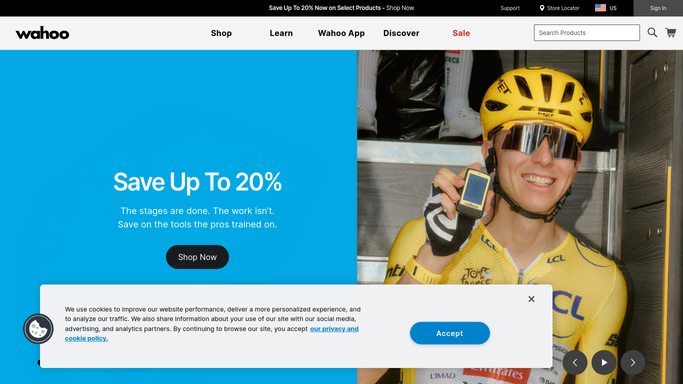
WebRun opens Wahoo Fitness to check completed rides. - Open Wahoo Fitness and review each rider's ride history for the prior week
- Note total distance, ride time, and average effort for each rider
- Flag any rider with no logged rides for the week
Done when Every rider's weekly ride summary has been captured.
-
2
Google Sheets - log the weekly scorecard
google.com How to Automate Google Sheets

WebRun opens Google Sheets to log the weekly scorecard. - Open the team scorecard sheet
- Add a row for each rider with distance, time, and effort for the week
- Highlight riders with no logged activity
Done when The scorecard sheet has this week's row for every rider.
-
3
Gmail - email the scorecard
gmail.com How to Automate Gmail

WebRun opens Gmail to email the scorecard. - Draft a weekly scorecard email summarizing the whole team
- Rank riders by distance or effort for the week
- Send it to the coach and team management
Done when The weekly scorecard email has been sent.
How is each run configured?
Secure by default
Connect once, stays signed in
WebRun signs in once and keeps each session in a persistent environment, so every run picks up right where it left off.
Every action is checked against this policy before it runs.
Questions, answered
Does WebRun change training plans or device settings?
No. It only reads completed ride data. Adjusting a rider's plan or their Wahoo device settings is always done by the coach.
What if a rider does not log any rides that week?
They still get a row on the scorecard, flagged as no logged activity, so the coach can follow up directly.
Can the scorecard cover metrics other than distance and time?
Yes. Tell WebRun which metrics your team tracks, such as average power or heart rate, and the scorecard will include them.
Related templates
Put this on autopilot.
Turn it on in minutes - or have our team set it up for you.