Get shift-coverage alerts when your smoke shop is understaffed
Every morning, WebRun opens your Google Calendar, scans the next 48 hours for shift events that are uncovered or marked as needing cover, cross-checks the minimum staffing level you have set against the current schedule, and posts a Slack alert to your manager channel listing which shifts need coverage and when, so you can arrange it before it becomes a problem.
- No credit card
- Under $0.01 per run
- Cancel anytime
How can I get automatic staffing alerts when my smoke shop has an uncovered shift?
WebRun checks your Google Calendar every morning for shifts in the next 48 hours that fall below your minimum headcount or are missing a key-holder, then posts a clear gap list to your Slack manager channel. Your team sees exactly which shifts need coverage before the problem reaches the store floor.
- Understaffed shifts surface 48 hours in advance so there is time to arrange cover
- Key-holder gaps are flagged prominently before they create a compliance or safety risk
- Managers act from a clear Slack list rather than manually scanning a calendar
Built for smoke shop owners · vape shop shift managers · multi-location tobacco retailers
What does WebRun do on every run?
The exact actions WebRun takes, in order - in plain language, so you can adjust anything.
-
WebRun signs in and gets to work
Opens
calendar.google.comin a real browser with your saved login - no setup, no API keys. -
1
KORONA POS - confirm minimum staffing requirements by shift type
koronapos.com How to Automate KORONA POS
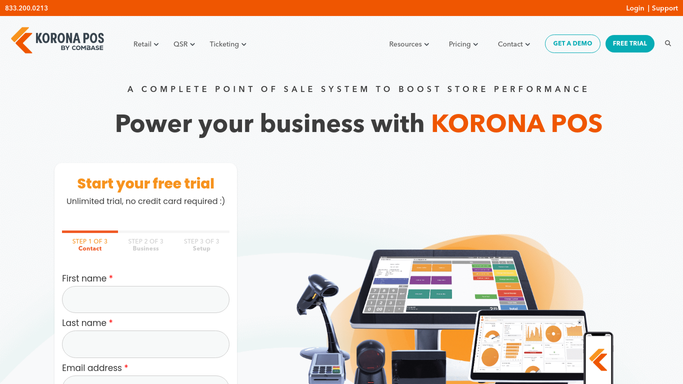
WebRun opens KORONA POS to confirm minimum staffing requirements by shift type. - Check the configured minimum headcount for each shift type in KORONA POS employee settings
- Note which shift types require a key-holder or shift supervisor on duty
Done when Minimum staffing requirements for each shift type are confirmed.
-
2
Google Calendar - scan the next 48 hours for uncovered shifts
calendar.google.com How to Automate Google Calendar

WebRun opens Google Calendar to scan the next 48 hours for uncovered shifts. - Open the staff scheduling calendar and scan all events in the next 48 hours
- Identify any shift event with fewer assigned staff than the minimum headcount
- Flag any shift with no key-holder assigned if one is required
- Note the shift date, time, location, and the gap in coverage for each flagged shift
Done when All under-staffed shifts in the next 48 hours are identified with their gap details.
-
3
Slack - alert the manager channel with the gap list
slack.com How to Automate Slack

WebRun opens Slack to alert the manager channel with the gap list. - Format the gap list as a clear Slack message with each shift listed by date, time, location, and the number of staff still needed
- Flag any shift missing a key-holder prominently at the top
- Post to the manager Slack channel so coverage can be arranged immediately
Done when The coverage alert is posted in Slack and the manager can act on it.
How is each run configured?
Secure by default
Connect once, stays signed in
WebRun signs in once and keeps each session in a persistent environment, so every run picks up right where it left off.
Every action is checked against this policy before it runs.
Questions, answered
Will it contact staff to fill shifts automatically?
No. WebRun posts the gap list to Slack for the manager to act on. Reaching out to staff to fill a shift is a human decision, so no automated messages go to employees.
How does it know the minimum staffing level?
You configure the minimum headcount per shift type when setting up WebRun. For example, two staff for a weekday open and three for a weekend peak. It checks every shift against those rules.
What if the schedule is in a different tool, not Google Calendar?
WebRun supports Google Calendar out of the box. If you use another scheduling tool, get in touch and we can review whether it is supported for your setup.
Related templates
Put this on autopilot.
Turn it on in minutes - or have our team set it up for you.