Chase unsigned consent before the session starts
Every morning, WebRun lists tomorrow's User Interviews sessions, checks DocuSign for each participant's consent form, and for anyone still unsigned it drafts a polite nudge in Gmail with the signing link, then leaves every draft for you to review and send.
- No credit card
- Under $0.01 per run
- Cancel anytime
How do I chase unsigned consent before a session starts?
WebRun keeps consent on track before sessions run. Each morning it lists tomorrow's User Interviews participants, checks DocuSign for each consent form, and for anyone unsigned it drafts a polite Gmail nudge with the signing link and session time. Every draft waits for your review, so participants are only contacted after you approve and send.
- Sessions start with consent already in hand
- Every unsigned participant gets a timely, personal nudge
- No consent gap discovered at the top of the call
Built for UX researchers · research ops · research compliance · user research teams
What does WebRun do on every run?
The exact actions WebRun takes, in order - in plain language, so you can adjust anything.
-
WebRun signs in and gets to work
Opens
www.userinterviews.comin a real browser with your saved login - no setup, no API keys. -
1
User Interviews - list upcoming participants
userinterviews.com How to Automate User Interviews
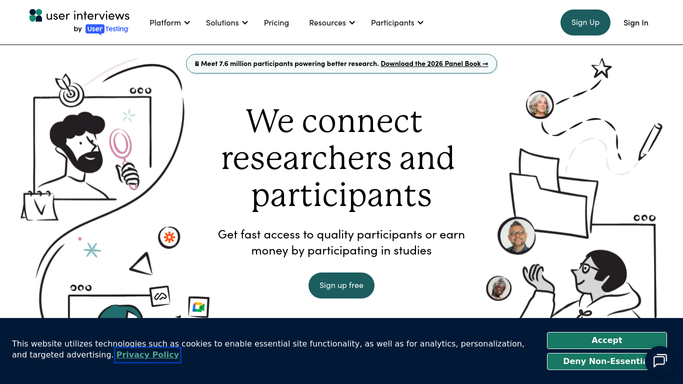
WebRun opens User Interviews to list upcoming participants. - Open User Interviews and filter sessions to the next calendar day
- Capture each participant, session time, and study name
- Note who the consent form was sent to for each session
Done when Every participant with a session tomorrow is listed.
-
2
DocuSign - check consent status
docusign.com How to Automate DocuSign

WebRun opens DocuSign to check consent status. - Open DocuSign and find the consent envelope for each participant
- Record whether each envelope is completed, sent, or not started
- Pull the signing link for anyone whose consent is still outstanding
Done when Each participant is marked signed or unsigned with a signing link ready.
-
3
Gmail - draft nudges for review
gmail.com How to Automate Gmail

WebRun opens Gmail to draft nudges for review. - Draft a polite consent nudge for each unsigned participant with their signing link
- Mention the session time so they know why it matters now
- Leave each nudge as a Gmail draft for you to review and send. Do not email participants automatically
Done when A reviewable nudge draft sits in Gmail for every unsigned participant, none sent.
How is each run configured?
Secure by default
Connect once, stays signed in
WebRun signs in once and keeps each session in a persistent environment, so every run picks up right where it left off.
Every action is checked against this policy before it runs.
Questions, answered
Will it email participants without my sign-off?
No. WebRun prepares a Gmail draft for each unsigned participant and leaves it unsent. You review the nudge and click send, so nothing goes out on its own.
How does it know who still needs to sign?
It matches each upcoming participant to their DocuSign consent envelope and reads the live status, so only people whose consent is genuinely outstanding get a nudge drafted.
What if consent comes in after the draft is written?
It reads DocuSign fresh each morning, so a participant who signs overnight is skipped and no stale nudge is drafted for them.
Related templates
Put this on autopilot.
Turn it on in minutes - or have our team set it up for you.