Flag bad meter reads before they reach resident bills
Every morning, WebRun opens Conservice, pulls the latest submeter reads across your properties, flags any read that looks wrong such as zero, negative, or far outside that unit's normal range, logs each exception with its meter ID and unit to Google Sheets, and posts the full list to Slack so billing can fix it before the cycle closes.
- No credit card
- Under $0.01 per run
- Cancel anytime
How do I catch bad submeter reads before they turn into wrong resident bills?
WebRun checks every submeter read in Conservice each morning, flags any that are zero, negative, or far outside a unit's normal range, and logs the details to Google Sheets. It then posts the exception list to Slack before the billing cycle closes, so bad reads get corrected instead of turning into wrong resident bills.
- Bad meter reads get caught before they turn into a resident's bill
- Billing teams start each cycle with a ready to fix exception list
- Meters that fail the check repeatedly get flagged, not missed
Built for multifamily property managers · utility billing teams · RUBS administrators · submetering operations staff
What does WebRun do on every run?
The exact actions WebRun takes, in order - in plain language, so you can adjust anything.
-
WebRun signs in and gets to work
Opens
www.conservice.comin a real browser with your saved login - no setup, no API keys. -
1
Conservice - pull the latest submeter reads
conservice.com How to Automate Conservice
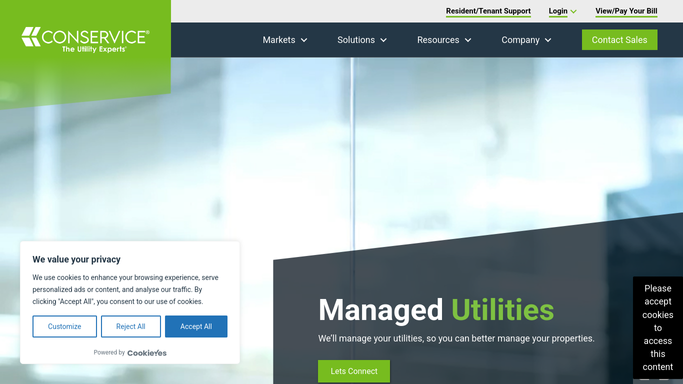
WebRun opens Conservice to pull the latest submeter reads. - Open Conservice and pull the latest submeter read file for each property
- Compare each read to the unit's trailing 3 month average and to its prior read
- Flag any read that comes back zero, negative, or well outside the normal range
Done when Every submeter read for the cycle has been checked and each exception is flagged with its meter ID and unit.
-
2
Google Sheets - log each read exception
google.com How to Automate Google Sheets

WebRun opens Google Sheets to log each read exception. - Open the exception tracking sheet for the property
- Log each flagged read with the unit, meter ID, prior read, current read, and the reason it was flagged
- Mark whether the exception is new this cycle or a repeat
Done when Every flagged read for the cycle is logged in the sheet with full detail.
-
3
Slack - alert the billing team
slack.com How to Automate Slack

WebRun opens Slack to alert the billing team. - Post the day's exception list to the billing channel
- Group the list by property and put repeat offenders first
- Note the billing cutoff date so the team knows how much time is left to fix it
Done when Billing has today's exception list in Slack with time to correct it before the cycle closes.
How is each run configured?
Secure by default
Connect once, stays signed in
WebRun signs in once and keeps each session in a persistent environment, so every run picks up right where it left off.
Every action is checked against this policy before it runs.
Questions, answered
Will it change or correct the meter reads itself?
No. WebRun only flags and logs suspect reads for your billing team to review. It never edits a read or a resident's bill on its own.
What counts as a bad read?
A read that comes back zero or negative, or one that sits far outside that unit's trailing 3 month average. Both patterns usually mean a meter fault or a transcription error, not real usage.
Does it catch meters that fail the check over and over?
Yes. Every exception is logged in Google Sheets, so a meter that keeps failing shows up as a repeat issue instead of a one time flag.
Related templates
Put this on autopilot.
Turn it on in minutes - or have our team set it up for you.